
Want to design beautiful pages without sacrificing your site’s speed or search rankings? WordPress block patterns are your secret weapon for creating stunning layouts that actually help your SEO performance instead of hurting it! 🎨
Table of Contents
What Are WordPress Block Patterns?
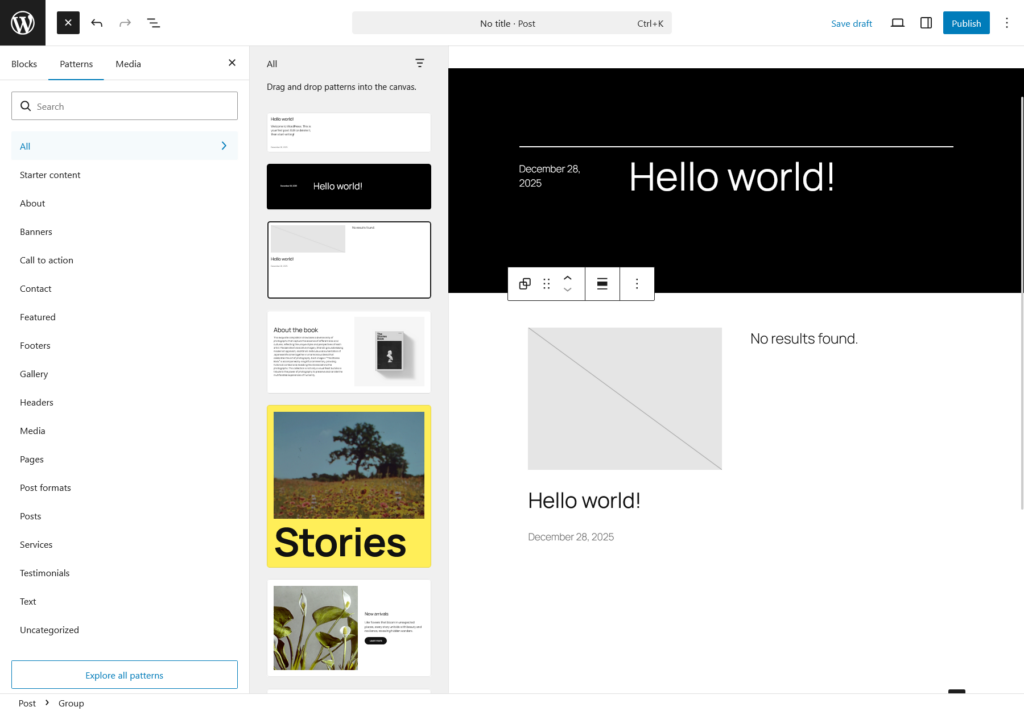
WordPress Block Patterns are pre-designed block layouts in the WordPress editor that let you add professional sections instantly. Unlike custom-coded elements, these lightweight patterns reduce bloat and improve site performance naturally.
Why Block Patterns Matter for SEO
You might be wondering — what do reusable layouts have to do with SEO? Quite a lot, actually!
- Consistent heading structure. Patterns enforce proper H2/H3 hierarchies across all your pages, which Google loves.
- Semantic HTML output. Native blocks produce clean, well-structured HTML that is easier for search crawlers to parse.
- Content consistency. A uniform layout means visitors spend more time on your pages, lowering your bounce rate — a positive SEO signal.
- Faster content publishing. More pages published = more indexed content = more ranking opportunities.
If you’re looking to amplify your SEO even further, check out the Best WordPress SEO Plugins that pair perfectly with block-based workflows.
How Block Patterns Improve SEO Performance
Clean Code Structure
Block patterns generate semantic HTML that search engines love. They create proper heading hierarchy (H1, H2, H3) automatically, which helps Google understand your content structure better.
Reduced Plugin Dependency
Instead of installing heavy page builders, block patterns in WordPress offer design flexibility without performance penalties. Fewer plugins mean faster load times and better Core Web Vitals scores.
Speed Benefits of Using Block Patterns
Block patterns are incredibly lightweight compared to traditional page builders:
- No external CSS frameworks – Uses WordPress core styling
- Minimal JavaScript – Only loads what’s necessary
- Optimized markup – Clean HTML without excessive divs
- Better caching – Simpler code caches more efficiently
Where to Find Quality Block Patterns
PatternsWP – Your Pattern Resource Hub
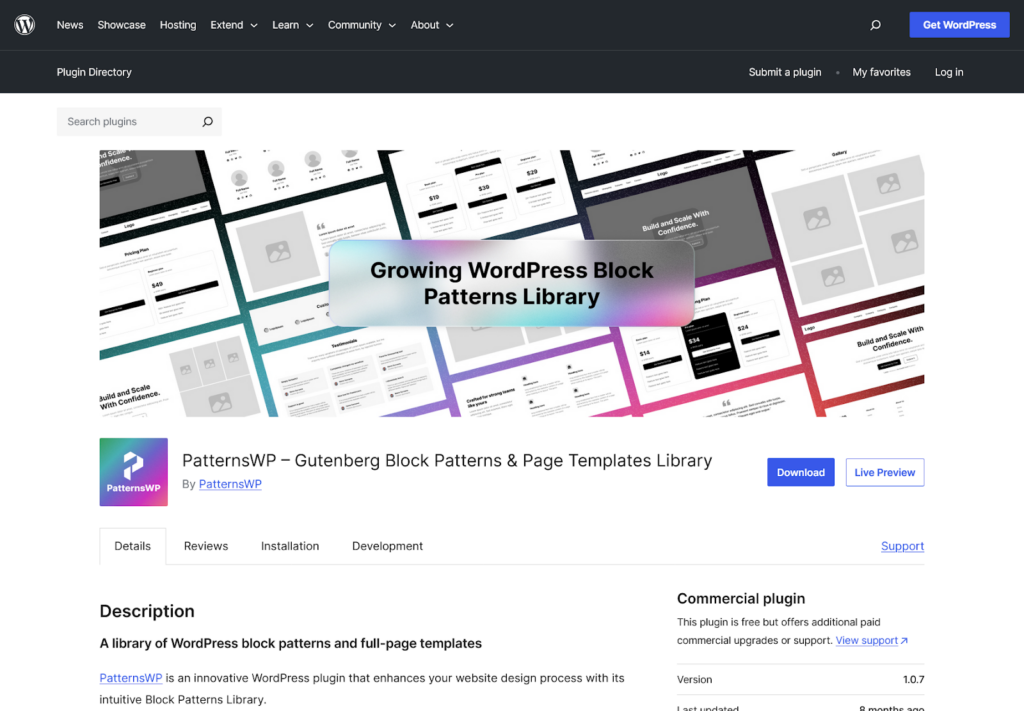
Need more pattern options beyond WordPress defaults? Check out PatternsWP – a curated collection of professional block patterns designed specifically for performance and SEO.
PatternsWP offers patterns that are:
- Lightweight and optimized for fast loading
- SEO-structured with proper semantic markup
- Fully customizable to match your brand
- Free to use in your WordPress projects
Step-by-Step Optimization Guide
Step 1: Access Block Patterns
In your WordPress editor, click the “+” button → select “Patterns” → browse available options. You can also explore external pattern libraries for more variety.
Step 2: Choose SEO-Friendly Patterns
Select patterns with proper heading structures. Avoid overly complex layouts that add unnecessary elements.
Step 3: Customize for Keywords
Replace placeholder text with your target keywords naturally. Don’t force keyword stuffing – focus on readability first!
Step 4: Test Performance
Use tools like Google PageSpeed Insights to measure improvements. Check how WordPress optimization techniques impact your scores.
Step 5: Reuse Consistently
Create custom patterns for repeated sections. This maintains design consistency while keeping your site lean.
Best Practices for Maximum Results
Keep It Simple: Choose minimalist patterns over decorative ones. Simplicity equals speed.
Optimize Images: Even within patterns, compress images properly. Block patterns won’t fix bloated media files.
Monitor Core Web Vitals: Track LCP (Largest Contentful Paint), FID (First Input Delay), and CLS (Cumulative Layout Shift) regularly.
Combine with Caching: Pair block patterns with WordPress caching plugins for maximum performance gains.
Regular Updates: Keep WordPress core updated to access improved block pattern features and performance enhancements.
FAQ
Q: Do WordPress block patterns affect SEO negatively? No, when used correctly, they actually help SEO by ensuring consistent heading structure and clean HTML output.
Q: Are block patterns different from reusable blocks? Yes. Patterns are templates you insert and then edit independently on each page. Synced patterns (formerly Reusable Blocks) update globally when you change them.
Q: Do I need a plugin to use block patterns? No plugin is required block patterns are built into WordPress core since version 5.5. However, third-party libraries like PatternsWP expand your options significantly.
Q: Will block patterns slow down my WooCommerce store? Not at all. Native patterns add no extra scripts. For a faster store, combine patterns with tips from the Best WordPress eCommerce Plugins guide.
Final Thoughts
WordPress block patterns offer a win-win solution: beautiful designs that actually improve your SEO and page speed. By replacing heavy builders with native WordPress functionality, you’re building on a solid, future-proof foundation.
Start exploring the pattern library today and watch your performance metrics climb! Your visitors (and Google) will thank you. 🙌