
If you have written any code in the last couple of years, you have probably noticed that the tools around you have changed faster than the code itself. AI coding tools are no longer just autocomplete helpers, they can now read your whole project, plan out changes across multiple files, and even run and fix their own code. Picking the right one, though, can feel overwhelming with so many options claiming to be “the best.”
This guide breaks down 8 of the best AI coding tools in 2026, what each one is genuinely good at, and how to decide which one fits your workflow, whether you are a beginner, a solo builder, or part of a development team.
Quick Comparison Table
Here is a quick side-by-side view before we get into the full breakdown of each tool below.
| Tool | Best For | Where It Lives | Standout Feature |
| Cursor | Fast, everyday in-editor coding | Standalone AI-first editor | Composer mode for multi-file refactors |
| Codex | Background implementation work | CLI, desktop app, IDE extension, ChatGPT | Runs tasks in isolated sandboxes with test runs |
| Claude Code | Complex refactors and code review | Terminal | Deep project-wide reasoning across files |
| Replit | Building prototypes with no local setup | Browser | Agent builds full apps from plain-language prompts |
| GitHub Copilot | Staying in a familiar editor | VS Code, JetBrains, Neovim | Fast, accurate inline autocomplete |
| v0 by Vercel | Turning prompts into full UI and frontend apps | Browser, with GitHub and Vercel integration | Generates production-ready Next.js code with one-click deploy |
| Amazon Q Developer | Teams already built on AWS | IDE plus AWS Console | Automated Java upgrades and AWS-aware suggestions |
| Tabnine | Privacy and regulated industries | Local or on-premises deployment | Self-hosted models trained on your own code |
What Are AI Coding Tools, and Why Do They Matter
AI coding tools are applications or plugins that use large language models to help you write, review, debug, and maintain code. Instead of just suggesting the next line, the best AI coding tools in 2026 can understand your entire codebase, follow multi-step instructions, and carry out changes across several files at once, often running tests along the way.
For beginners, this means fewer blank-page moments and a faster way to learn by example. For experienced developers, it means less time on repetitive work and more time on architecture and problem-solving.
If you manage a WordPress site and want to speed up your own development workflow, it is worth browsing our WordPress tutorials for practical, beginner-friendly guides that pair well with these AI tools.
How to Choose the Right AI Coding Tool
Before jumping into the list, it helps to know what actually separates one tool from another:
Your coding environment
Some tools live inside an editor (like Cursor or Windsurf), some run in your terminal or across multiple surfaces (like Claude Code or Codex), and some are fully autonomous cloud builders (like Replit).
Your existing ecosystem
If your infrastructure already runs on AWS, a tool like Amazon Q Developer plugs in more naturally than a general-purpose assistant. If privacy and self-hosting matter most, a tool like Tabnine is built around that need.
Your budget
Pricing ranges from generous free tiers to usage-based plans and monthly subscriptions. Most solo developers can build a solid stack for $20 to $50 a month.
The 8 Best AI Coding Tools in 2026, With Pros and Cons
1. Cursor
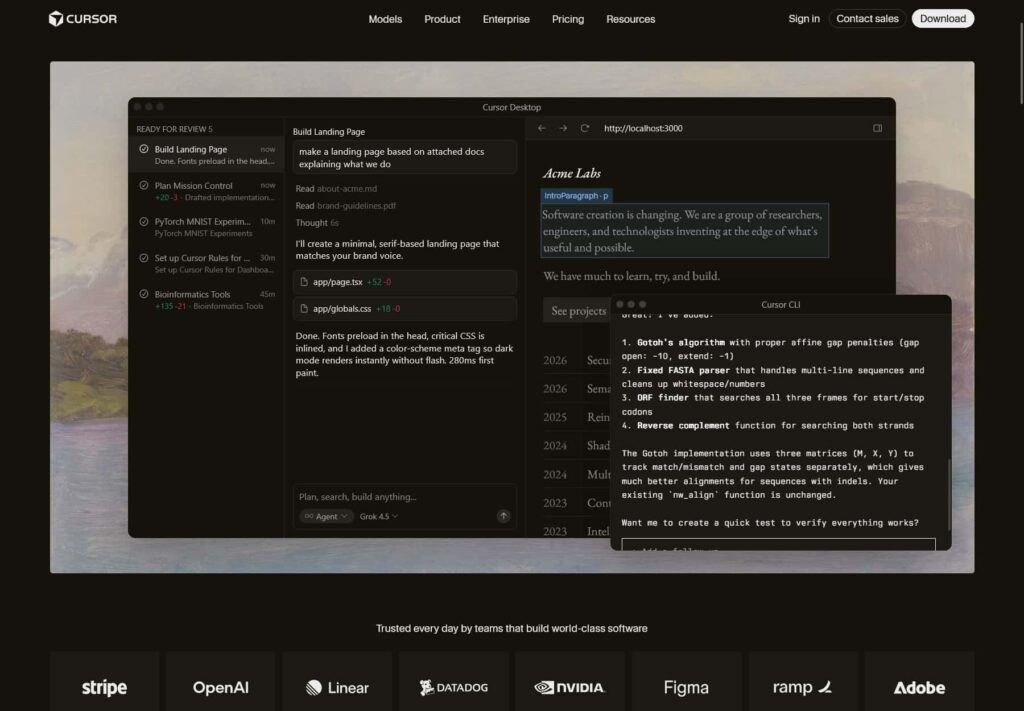
Cursor is built as an entire editor around AI rather than added on as a plugin. Its Composer mode lets you give natural language instructions to refactor whole files, generate components, or make changes across multiple files in a single step, which makes it a strong pick for developers who want fast, in-editor flow on everyday work.
Pros:
- Composer mode handles multi-file refactors smoothly
- Familiar editor feel with a low learning curve
- Strong autocomplete for everyday coding speed
Cons:
- Can slow down on very large codebases without tuning
- Requires switching editors if you are attached to VS Code or JetBrains
- Pricing can add up for heavy daily use
2. Codex
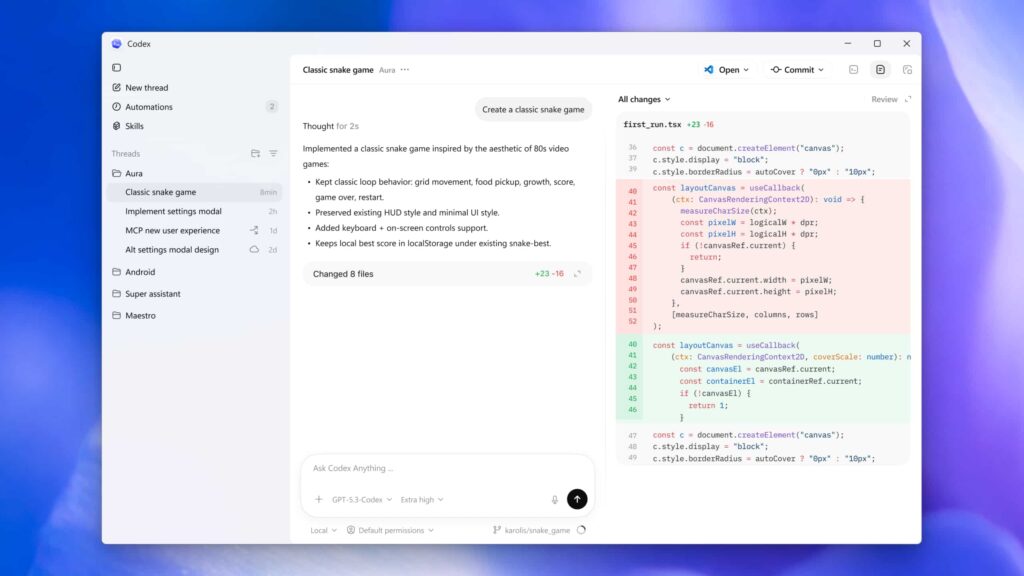
Codex is OpenAI’s agentic coding tool, available across the CLI, a desktop app, an IDE extension, and inside ChatGPT. <cite index=”9-1″>Give it a task and it clones your repository into an isolated sandbox, reads the codebase, edits files, runs tests, and returns a diff along with terminal logs you can trace step by step.</cite> It is well suited to background, repetitive implementation work while you focus on harder problems elsewhere.
Pros:
- Multiple surfaces (CLI, IDE, ChatGPT) share one account and setup
- Sandboxed execution keeps changes isolated and reviewable
- Efficient for routine, well-defined tasks
Cons:
- Less suited to highly ambiguous, judgment-heavy architecture work
- Managing usage across surfaces takes some initial setup
- Best results depend on a well-documented codebase
3. Claude Code
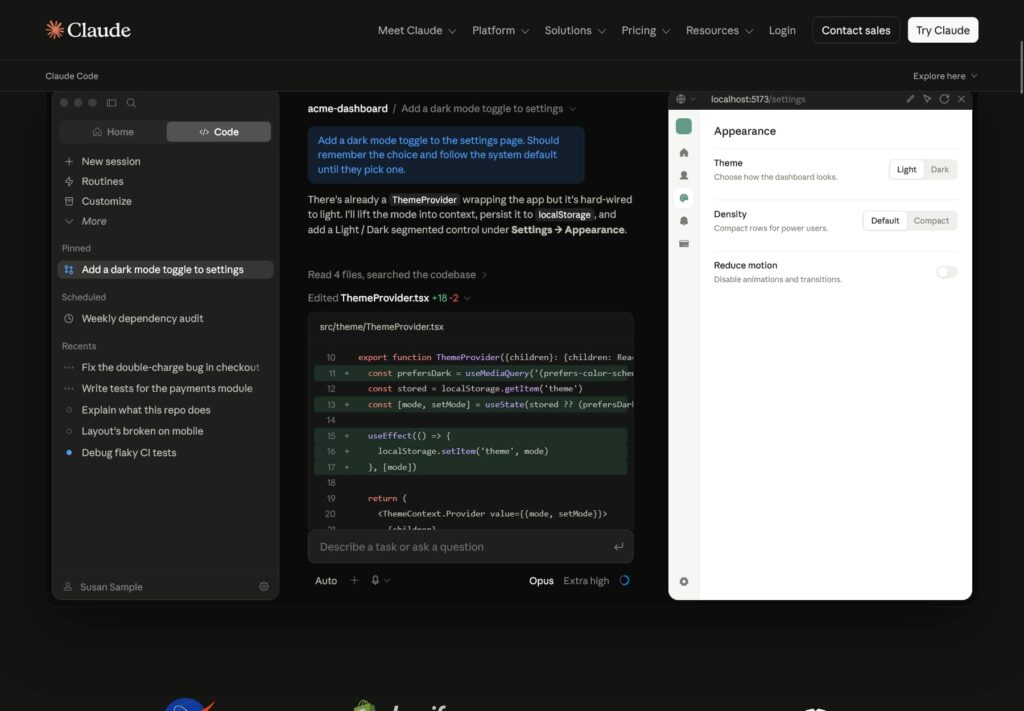
Claude Code is a command-line AI tool from Anthropic built to work directly inside your terminal. <cite index=”7-1″>It can read, write, and refactor code across an entire project, and its understanding of project structure allows it to produce coherent multi-file changes from a simple description of what you want.</cite> Developers who prefer terminal-native workflows, or who need help with complex refactoring and code review, tend to find this one especially useful.
Pros:
- Strong reasoning on complex, multi-file changes
- Terminal-native, so it fits naturally into existing developer habits
- Good fit for architecture-level decisions, not just small edits
Cons:
- Less visual than editor-based tools, which can feel unfamiliar at first
- Usage-based pricing means costs scale with how much you use it
- Best suited to developers already comfortable in the terminal
4. Replit
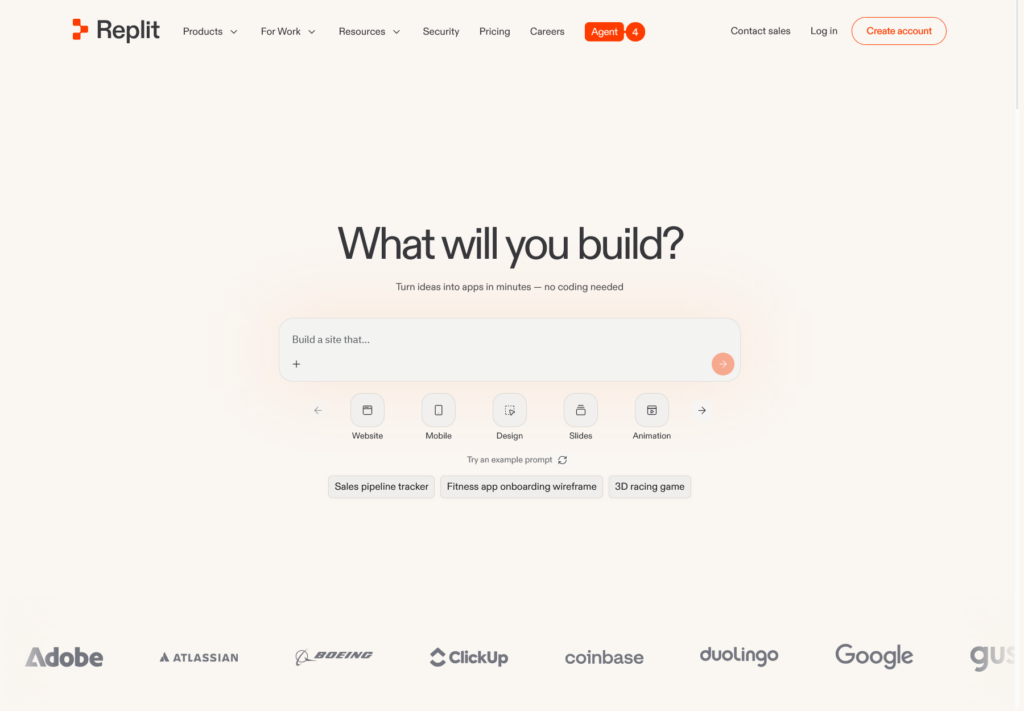
Replit’s Agent is built for people who want to go from an idea to a working prototype quickly, without heavy local setup. It is particularly friendly for beginners, non-technical founders, and anyone who wants to build a small tool or app using plain-language instructions, all inside the browser.
Pros:
- No local environment setup required
- Beginner-friendly, plain-language prompting
- Fast way to go from idea to working prototype
Cons:
- Less suited to large, complex production codebases
- Browser-based workflow may feel limiting for advanced users
- Deeper customization can require more manual coding know-how
5. GitHub Copilot
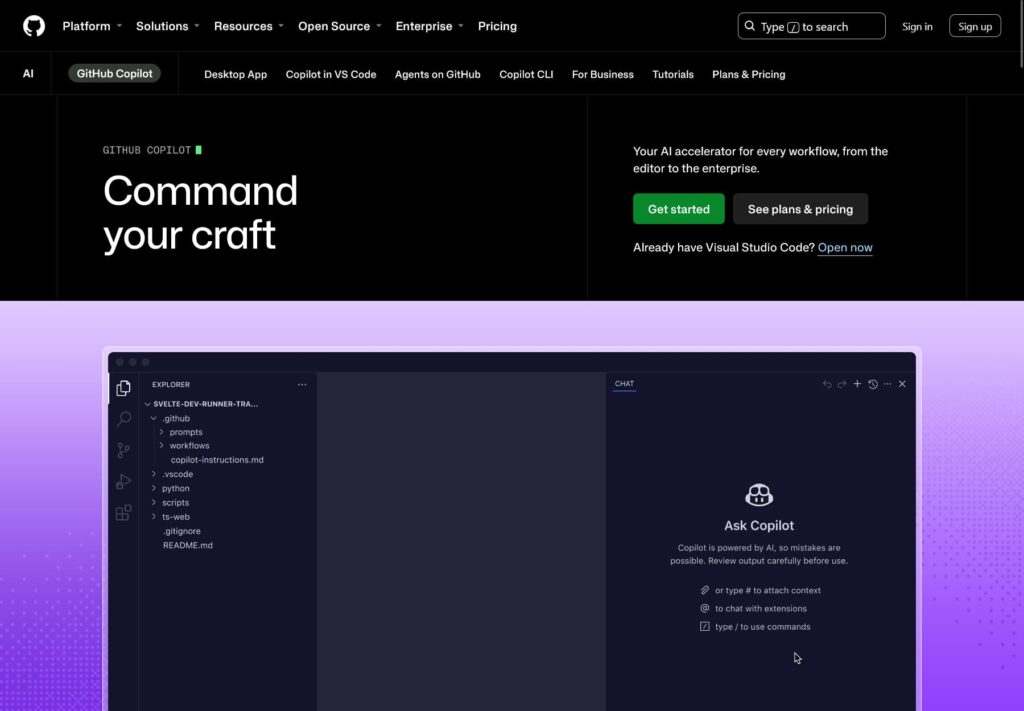
GitHub Copilot remains one of the most widely adopted AI coding tools thanks to its tight integration with VS Code, JetBrains, and Neovim. <cite index=”5-1″>It has become known for accurate inline autocompletion, predicting the next line or block of code with a level of precision that saves developers hours each week.</cite> It is a great starting point if you already work inside a familiar editor and want AI help without changing your setup.
Pros:
- Works inside editors developers already use daily
- Excellent inline autocomplete accuracy
- Low learning curve, easy to adopt gradually
Cons:
- Weaker at large, cross-file, autonomous changes compared to agentic tools
- Best features often require a paid plan
- Less useful outside of supported editors
6. v0 by Vercel
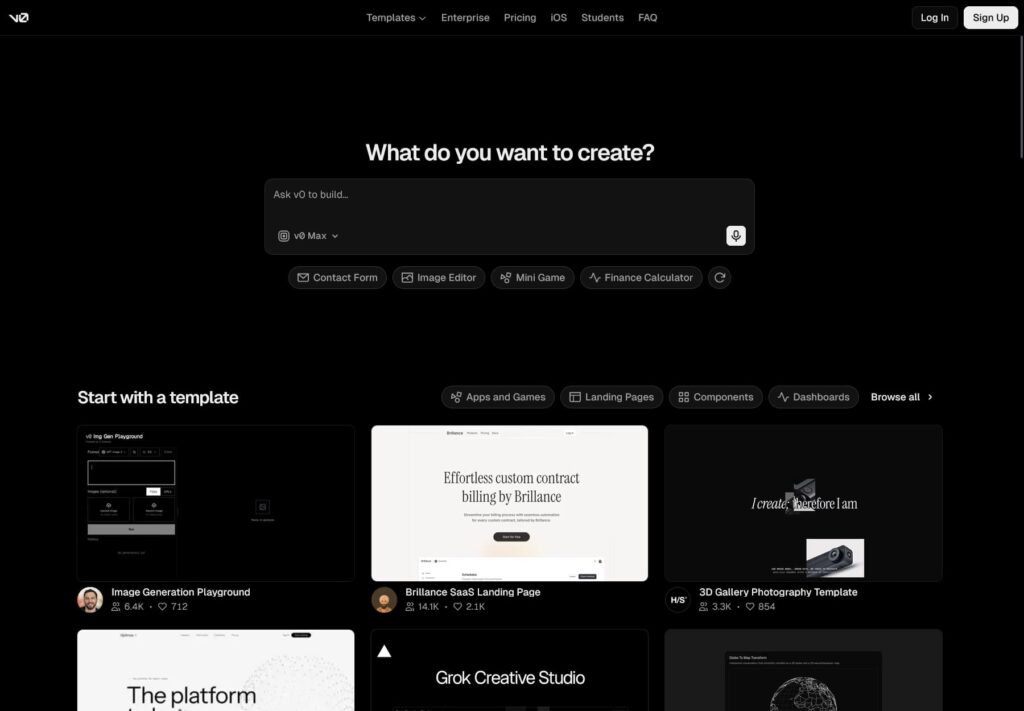
v0 by Vercel takes a frontend-first approach, turning plain-language prompts into production-ready React and Next.js code styled with Tailwind CSS and shadcn/ui. <cite index=”1-1″>Describe your idea in plain English and v0 generates complete, interactive applications with frontend, logic, and basic backend elements in seconds, running previews in an environment that closely matches production.</cite> <cite index=”6-1″>It also includes a built-in Git panel that lets you create branches, commit changes, and open pull requests directly from the chat interface, plus one-click deployment through Vercel’s own infrastructure.</cite> It is a strong pick if you want to move quickly from an idea or design to a working, deployable interface.
Pros:
- Generates high-quality, production-ready React and Next.js code
- Built-in Git workflow and one-click Vercel deployment
- Can turn screenshots or design files into working frontend code
Cons:
- <cite index=”2-1″>Frontend-first by design, so it still relies on external tools for deeper backend, authentication, and database logic</cite>
- <cite index=”2-1″>Deepest value comes with Vercel’s own infrastructure, which may not suit teams hosting elsewhere</cite>
- Token-based pricing can be harder to predict than flat-rate plans
7. Amazon Q Developer
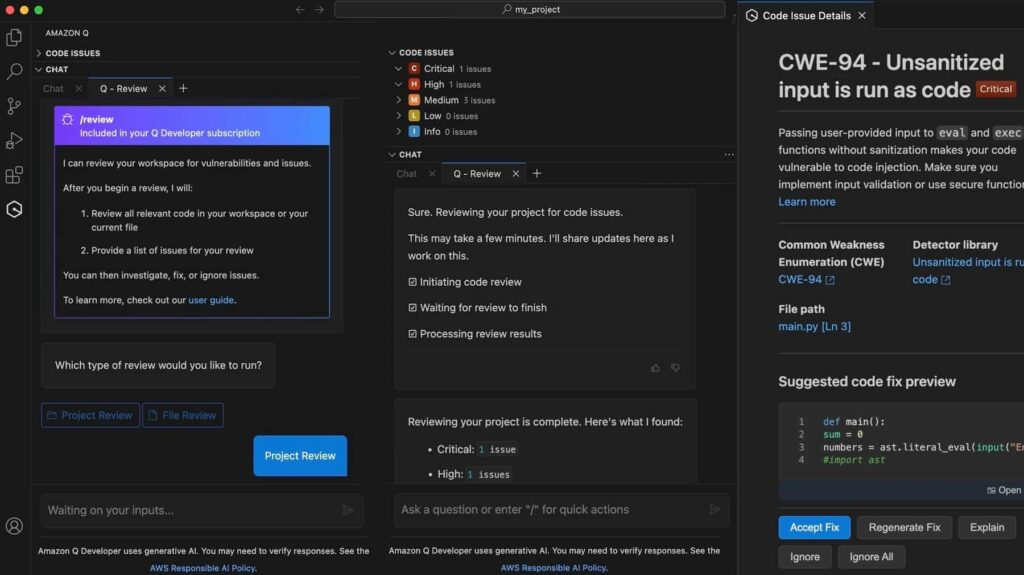
Amazon Q Developer is AWS’s coding assistant, built specifically around teams already working inside the AWS ecosystem. <cite index=”21-1″>Its core capabilities include real-time code suggestions inside IDEs like VS Code, IntelliJ IDEA, and Visual Studio, along with an autonomous agent that can analyze a repository, generate a plan, write the code, and run tests for a described feature.</cite> <cite index=”19-1″>It is also built on Amazon Bedrock and includes an autonomous upgrade agent capable of migrating Java applications across major version changes.</cite> If most of your infrastructure already lives on AWS, this tight integration can save significant setup time.
Pros:
- Deep, native integration with AWS services and the AWS Console
- Automated Java version upgrades save significant manual work
- Strong fit for teams already standardized on AWS
Cons:
- Less compelling if your stack is not AWS-based
- Some advanced features are limited to the paid Pro tier
- Smaller general-purpose coding community than editor-first tools
8. Tabnine
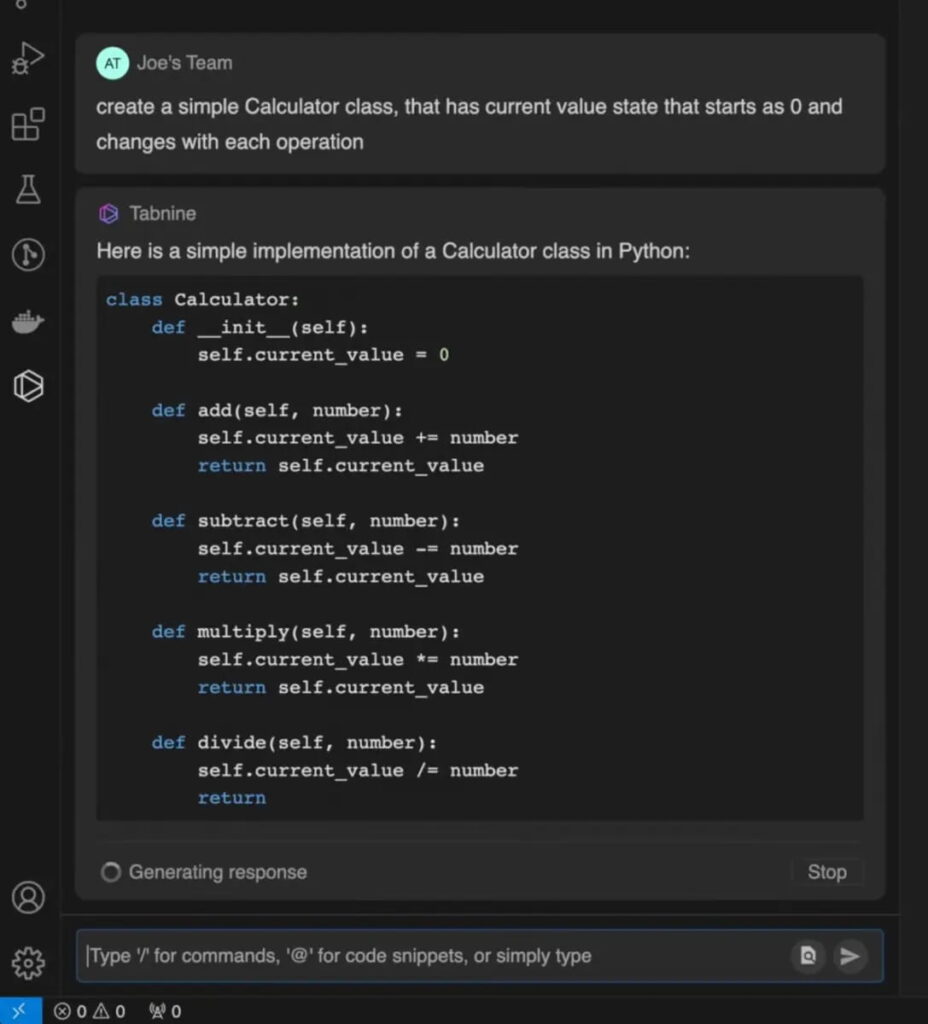
Tabnine takes a privacy-first approach compared to most tools on this list. <cite index=”14-1″>It prioritizes privacy by offering local and on-premises deployment along with models fine-tuned on your own code, making it a strong option for organizations with strict data policies.</cite> It is worth considering if data sovereignty, self-hosting, or working in a regulated industry are important factors for your team.
Pros:
- Local and on-premises deployment options for strict data control
- Models can be fine-tuned on your own private codebase
- Strong fit for regulated industries like finance and healthcare
Cons:
- Generally more expensive than comparable cloud-based tools
- Self-hosting adds setup and maintenance overhead
- Feature pace can lag behind faster-moving cloud-first competitors
Step-by-Step: Trying Out an AI Coding Tool for the First Time
If you are new to this, here is a simple way to get started without feeling overwhelmed.
Step 1: Identify your main pain point. Are you slow at writing boilerplate, stuck on debugging, or spending too much time on repetitive implementation work? This will point you toward the right category of tool.
Step 2: Start with one tool that fits your environment. Try GitHub Copilot if you want to stay in your current editor, or Replit if you want to build something new without any local setup at all.
Step 3: Give it a small, real task. Rather than testing with a toy example, ask it to fix an actual bug or add a small feature to a real project.
Step 4: Review every suggestion carefully. Treat AI-generated code the way you would treat a junior developer’s pull request. Read it, test it, and understand it before merging.
Step 5: Expand gradually. Once you are comfortable, try a second tool for a different part of your workflow, such as background implementation or terminal-based refactors, rather than trying to replace your entire process at once.
If you are applying similar step-by-step habits to your WordPress projects, our WordPress tutorials cover the same kind of practical, one-step-at-a-time approach.
Frequently Asked Questions
Do I need to know how to code to use AI coding tools?
Not always. Tools like Replit are designed for people with little to no coding background. That said, understanding the basics helps you catch mistakes and communicate what you actually want more clearly.
Which AI coding tool is best if I already use AWS?
Amazon Q Developer is worth prioritizing here, since it is built around AWS services and can handle tasks like Java version upgrades and infrastructure-aware suggestions that general-purpose tools are not designed for.
Which tool is best for privacy or regulated industries?
Tabnine is generally the strongest option if self-hosting, on-premises deployment, or strict data control are requirements for your organization.
Can I use more than one AI coding tool at a time?
Absolutely. Many developers pair an editor-based tool like Cursor or Windsurf for daily work with a terminal or background agent like Claude Code or Codex for bigger tasks.
Will AI coding tools replace developers?
Not in the near future. These tools are best understood as assistants that speed up repetitive work, not replacements for understanding architecture, design decisions, and testing.
Conclusion
The AI coding tools landscape in 2026 is full of genuinely useful, specialized options, and there is no single “best” choice for everyone. Your ideal setup depends on your existing ecosystem, your budget, and what part of your workflow needs the most help. Use the comparison table at the top as a quick filter, then read the pros and cons of your top picks before committing.
Whether you end up using an in-editor assistant, a terminal-based agent, or an ecosystem-specific tool like Amazon Q Developer or Tabnine, the goal stays the same: spend less time on repetitive work and more time building things you are proud of.