If you have ever stared at a blank script wondering how you’re going to record a voiceover without hiring a studio, you’re not alone. AI voice generators have quietly become one of the most useful tools for bloggers, course creators, YouTubers, and marketers who need clear, natural-sounding narration without touching a microphone.
In this guide, we’ll compare the best AI voice generator tools available right now, walk through how to choose the right one for your workflow, and show you step by step how to generate your first AI voiceover.
Table of Contents
What Is an AI Voice Generator
An AI voice generator, also called a text-to-speech (TTS) tool, converts written text into spoken audio using machine learning models trained on real human speech. Instead of hiring a voice actor or recording narration yourself, you type or paste your script, choose a voice, and the tool produces a natural-sounding audio file in seconds.
Modern AI voice tools go far beyond flat, robotic narration. Many now support emotional tone, pacing control, multiple languages, and even instant voice cloning, which is why they’ve become a standard part of the content creation toolkit alongside video editors and design apps.
What to Look For Before You Choose One
Not every AI voice generator is built for the same job. Before picking a tool, it helps to think about what you’ll actually be using it for.
Voice Quality and Naturalness
Some tools specialize in ultra-realistic, expressive narration, while others focus on fast, functional speech for quick edits. If your project is a polished audiobook or YouTube video, prioritize naturalness. For simple internal explainer content, a lighter tool may be enough.
Language and Accent Support
If your audience is global, check how many languages and accents a tool supports before committing to a subscription.
Voice Cloning and Customization
Some platforms let you clone your own voice or create a fully custom voice profile. This is useful for creators who want a consistent, recognizable brand voice across every video or podcast episode.
Pricing Structure
AI voice tools typically charge by character count, minutes of audio generated, or a flat monthly plan. Always check the free tier limits before assuming a tool fits your budget long term.
Integration With Your Workflow
If you’re producing video content, look for tools that plug directly into video editors. If you’re building online courses, look for compatibility with your LMS or authoring tool.
Best AI Voice Generator Tools Compared
Here’s a side-by-side look at some of the most widely used AI voice generators this year.
| Tool | Best For | Voice Cloning | Languages | Starting Price |
| ElevenLabs | Realistic narration, audiobooks, dubbing | Yes, instant | 70+ | Free tier, paid plans start low monthly |
| Murf | Corporate and brand-safe voiceovers | Limited | 20+ | Free trial, paid plans |
| Speechify | Reading articles aloud, fast voiceover generation | Yes (Studio) | Multiple | Free tier available |
| PlayHT | Developers and low-latency voice agents | Yes | Multiple | Free tier, usage-based paid plans |
| TTSMaker | Free voiceovers with commercial rights | No (Pro adds more voices) | 100+ | Free, optional Pro plans |
| WellSaid Labs | Enterprise training and internal communications | Limited | Fewer, enterprise-focused | Custom enterprise pricing |
1. ElevenLabs
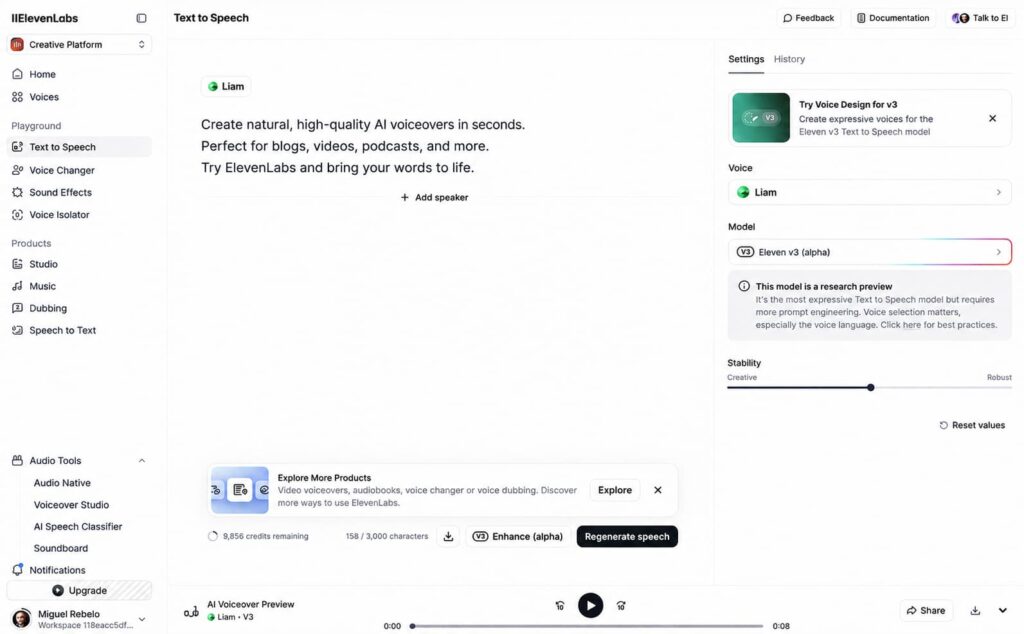
ElevenLabs is widely known for producing some of the most natural-sounding AI voices available, with support for instant voice cloning and dozens of languages. It’s a strong fit for podcasters, audiobook creators, and video producers who want narration that doesn’t sound synthetic.
Pros
- Highly realistic, expressive voice quality
- Fast, accurate instant voice cloning
- Wide language support for global content
- Fine-grained control over tone and pacing
Cons
- Free tier character limits are restrictive for regular use
- Credit consumption can add up quickly on longer projects
- Advanced features have a learning curve for first-time users
2. Murf
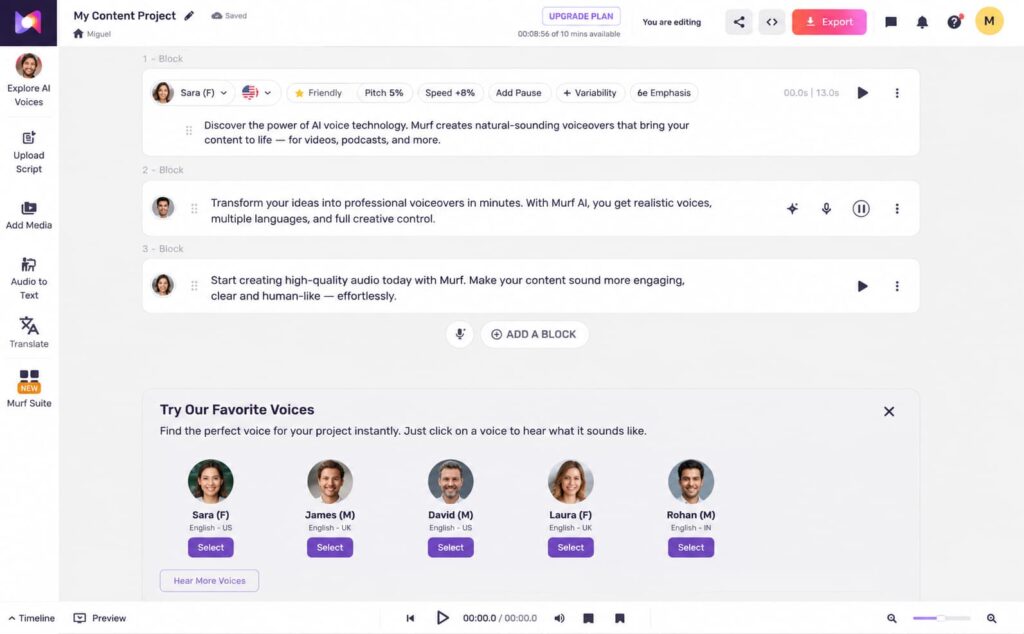
Murf focuses on clean, professional-sounding voiceovers aimed at marketing videos, e-learning modules, and corporate presentations. It’s a solid choice if brand consistency matters more than experimental voice styles.
Pros
- Clean, polished voices suited to business content
- Simple, beginner-friendly editor
- Good fit for e-learning and presentation voiceovers
- Team collaboration features on higher plans
Cons
- Voice cloning is more limited than competitors
- Fewer expressive or emotional voice options
- Smaller language selection compared to other tools
3. Speechify
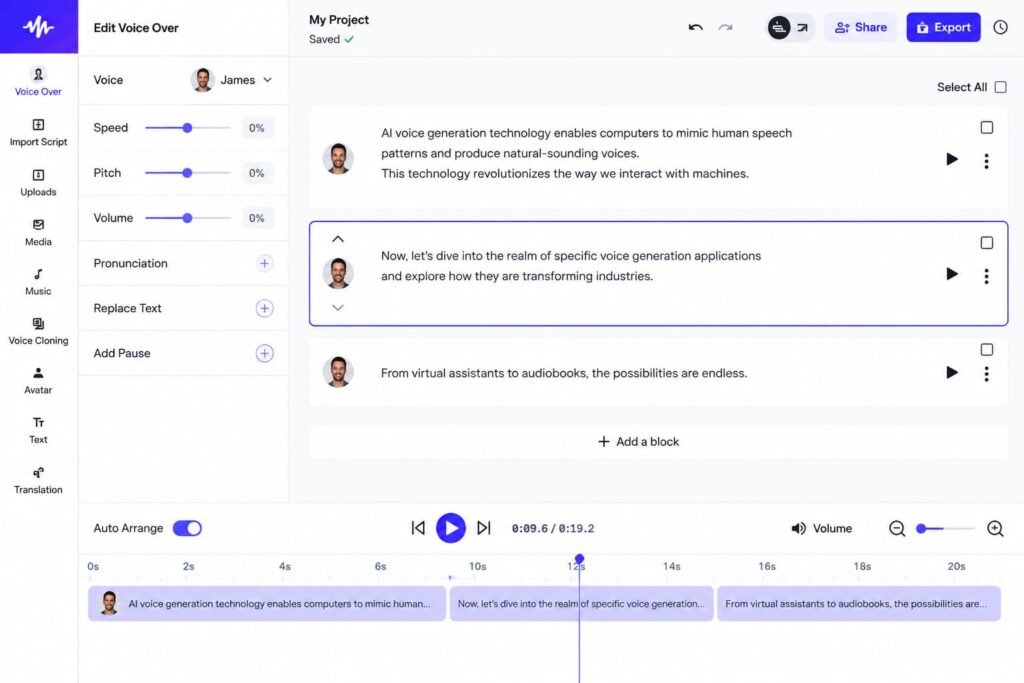
Speechify started as a text-to-speech reading app and has expanded into full voiceover generation through Speechify Studio. It’s especially popular with creators who need to quickly turn written content, like blog posts, into audio.
Pros
- Very fast for turning written content into audio
- Large, established user base and mature reading app
- Competitive pricing for its API and Studio tools
- Useful for both listening and voiceover generation in one account
Cons
- Studio and core reading app can feel like two separate products
- Voice variety is smaller than dedicated voiceover platforms
- Some advanced editing features sit behind paid tiers
4. Respeecher
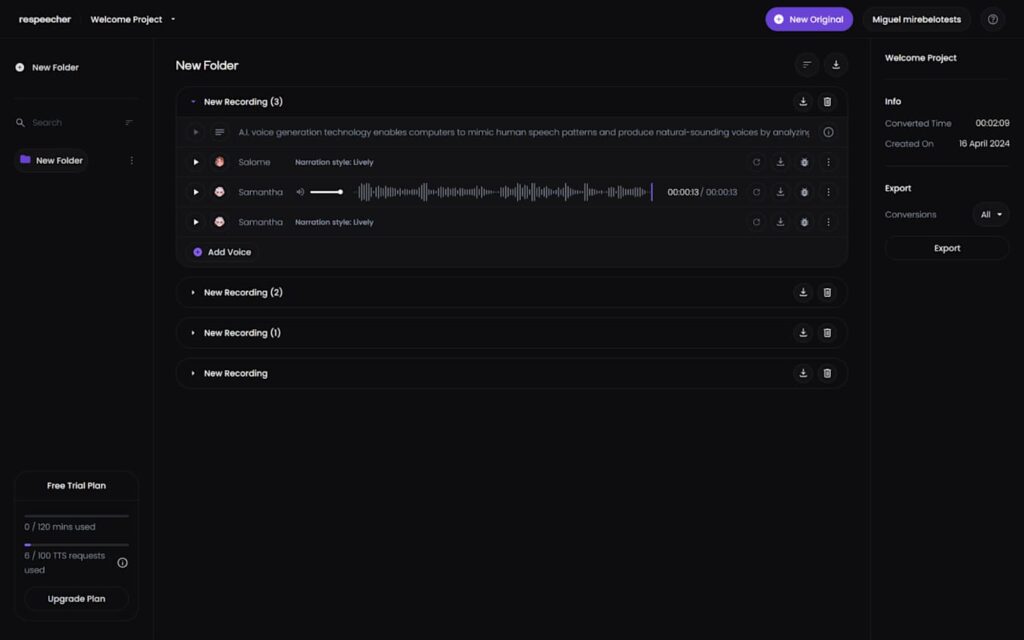
Respeecher specializes in studio-grade voice cloning and speech-to-speech conversion, built for film, gaming, and dubbing projects that need highly realistic, character-accurate voice performances. It’s less of a quick-voiceover tool and more of a professional production platform.
Pros
- Studio-grade, highly realistic voice cloning
- Strong fit for film, gaming, and dubbing workflows
- Supports real-time voice conversion on custom plans
- Emphasis on ethical use and consent-based voice licensing
Cons
- Pricing is geared toward professional productions, not casual creators
- Steeper learning curve than simple text-to-speech tools
- Overkill for basic voiceover needs like blog narration or short videos
5. TTSMaker
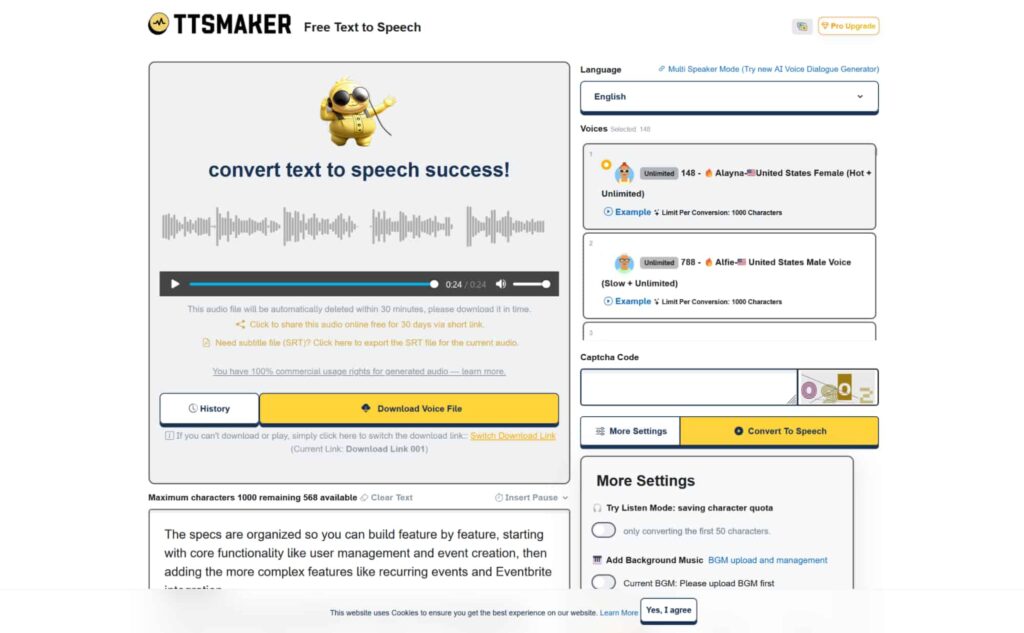
TTSMaker is a free text-to-speech tool that lets you convert written text into natural-sounding audio in over 100 languages, with downloads available for commercial use at no cost. It’s a practical option for creators who need quick voiceovers for YouTube, TikTok, or short-form content without a subscription.
Pros
- Free to use, including downloads for commercial projects
- Wide language support, including English, Spanish, Arabic, and more
- Simple, no-signup-required workflow for quick voiceovers
- Optional Pro plan adds more voices, emotions, and an API for developers
Cons
- Free-tier voices are less expressive than premium competitors
- Fewer customization options without upgrading to Pro
- No voice cloning on the free plan
6. WellSaid Labs
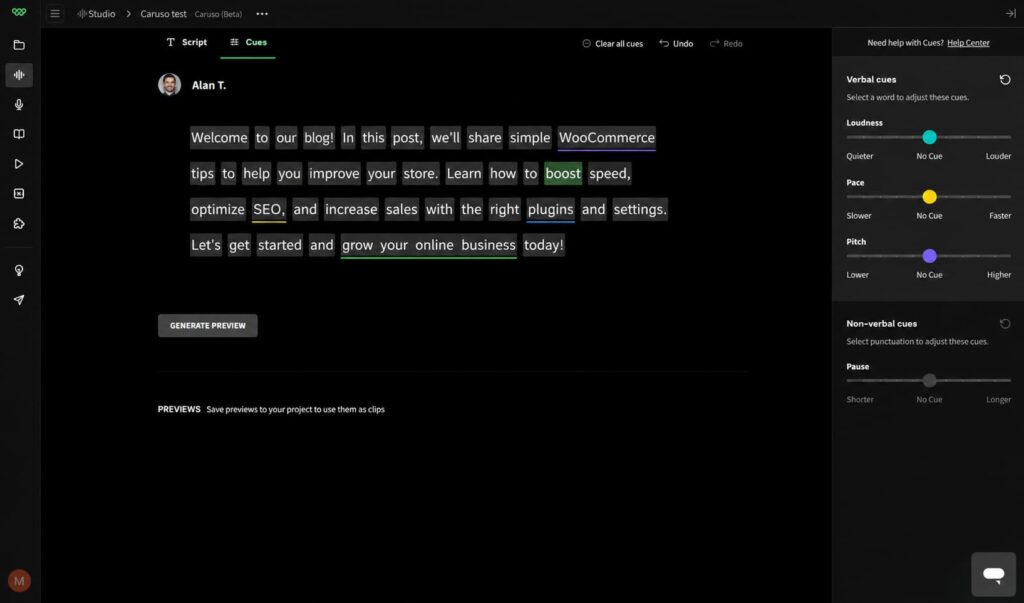
WellSaid Labs is built for enterprise use cases like employee training and internal communications, with an emphasis on governance, security, and consistent brand voice across large organizations.
Pros
- Strong focus on security and compliance (SOC 2, GDPR)
- Consistent, brand-safe voice quality
- Well suited to large-scale training and internal content
- Reliable for high-volume production environments
Cons
- Smaller voice library than consumer-focused tools
- Pricing is enterprise-oriented, less accessible for solo creators
- Fewer casual or expressive voice styles
How to Generate Your First AI Voiceover (Step by Step)
Regardless of which tool you choose, the general workflow looks similar across most platforms.
Step 1: Create an Account and Choose a Plan
Sign up for the tool’s free tier first to test voice quality before committing to a paid plan.
Step 2: Prepare Your Script
Write or paste your script into the tool’s text editor. Keep sentences clear and avoid overly long run-ons, since punctuation directly affects pacing and pauses in the generated audio.
Step 3: Select a Voice
Browse the voice library and preview a few options. Most tools let you filter by language, gender, tone, or accent.
Step 4: Adjust Pacing and Emphasis
Many platforms let you fine-tune speed, pitch, and emphasis on specific words or phrases. This step is what separates flat narration from natural-sounding speech.
Step 5: Generate and Preview the Audio
Generate a short preview first rather than your entire script. This helps you catch mispronunciations or awkward pacing early.
Step 6: Export and Use Your Audio File
Once you’re happy with the result, export the audio in your preferred format (usually MP3 or WAV) and bring it into your video editor, podcast platform, or course authoring tool.
Free vs Paid AI Voice Generators
Most AI voice generators offer a free tier, but the limits vary widely. Free plans typically cap you at a small number of characters or minutes per month, limit you to a handful of stock voices, and may add a watermark or restrict commercial use.
Paid plans generally unlock voice cloning, higher character limits, commercial usage rights, and access to premium or expressive voice models. If you’re only occasionally generating short voiceovers, a free tier may be enough. If you’re producing content regularly, a paid plan will save you time and give you more creative control.
If you’re building out voice narration for online courses, it’s worth pairing your AI voice tool with a solid LMS plugin so your audio integrates smoothly into your lesson structure.
FAQ
Are AI voice generators free to use?
Most offer a free tier with limited characters or minutes per month. Full features like voice cloning and commercial licensing usually require a paid plan.
Can I clone my own voice with an AI voice generator?
Yes, many tools now support instant voice cloning, letting you upload a short audio sample to create a custom voice profile you can reuse across projects.
Which AI voice generator sounds the most natural?
Naturalness varies by use case, but tools built around realistic narration and expressive speech tend to perform best for long-form content like audiobooks and podcasts.
Can I use AI-generated voiceovers commercially?
This depends on the tool and plan. Always check the platform’s licensing terms before using generated audio in monetized or commercial content.
Do I need any technical skills to use these tools?
No. Most AI voice generators are designed with simple, no-code interfaces where you paste your script, pick a voice, and generate audio.
Conclusion
Choosing the right AI voice generator really comes down to what you’re creating and how polished you need the final audio to be. Tools focused on realism and cloning work best for narration-heavy content, while lighter, faster tools are a better fit for quick explainer voiceovers or internal content.
Whichever tool you choose, start with the free tier, test a short script, and pay attention to pacing and pronunciation before committing to a paid plan. And if you’re pairing your voiceovers with written content on your WordPress site, don’t forget to keep your on-page SEO tight too. Our guide on using WordPress block patterns to improve SEO is a good next read if you want your voice-narrated content to actually rank.