Most “best WordPress social media plugins” lists give you a long table of tools and leave you to decide what they actually do. That is the problem. These plugins do not all compete with each other.
One plugin auto-publishes WordPress posts to Facebook, Instagram, LinkedIn, X, Pinterest, TikTok, and more. Another adds share buttons for readers. Another displays an Instagram or YouTube feed on your website. Another brings social proof, reviews, or chat widgets into WordPress.
So the better question is not “Which social media plugin is best?” The better question is: Which workflow are you trying to solve?
This guide breaks the category into five workflows and recommends the best plugin for each one.
Table of Contents
Quick Comparison
| Plugin | Workflow type | Best for | Paid starts at |
|---|---|---|---|
| FS Poster | Auto-posting + scheduling | Agencies, WooCommerce stores, multi-network publishers | $58/year |
| Revive Old Posts | Evergreen content recycling | Resharing old WordPress posts automatically | $99/year |
| Jetpack Social | Simple publish-and-share | Small sites using Gutenberg | ~$59/year |
| AddToAny | Share buttons | Lightweight visitor-facing sharing | Free |
| Sassy Social Share | Share buttons | More button customization | Free |
| Smash Balloon | Social feed display | Instagram, Facebook, YouTube, and TikTok feeds | $49/year per network |
| WP Social Ninja | Social feeds + reviews + chat | Local businesses and social proof | $44/year promo |
| Blog2Social | Calendar-based social publishing | Editorial teams that want a free manual start | €72/year |
1. FS Poster: Best WordPress Auto-Posting and Scheduling Plugin
Best for: Agencies, WooCommerce store owners, publishers, bloggers, and content teams that want to publish WordPress content to many social networks from one dashboard.
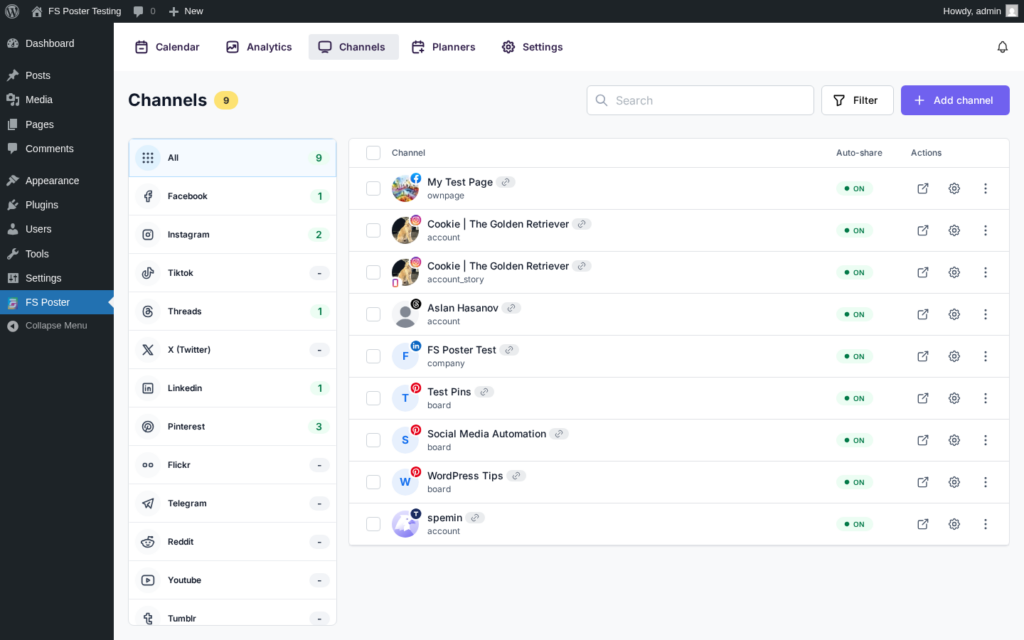
FS Poster is a WordPress-native social media auto-poster and scheduler. It connects your WordPress site to 26 social networks and lets you publish, schedule, and recycle content without leaving WordPress.
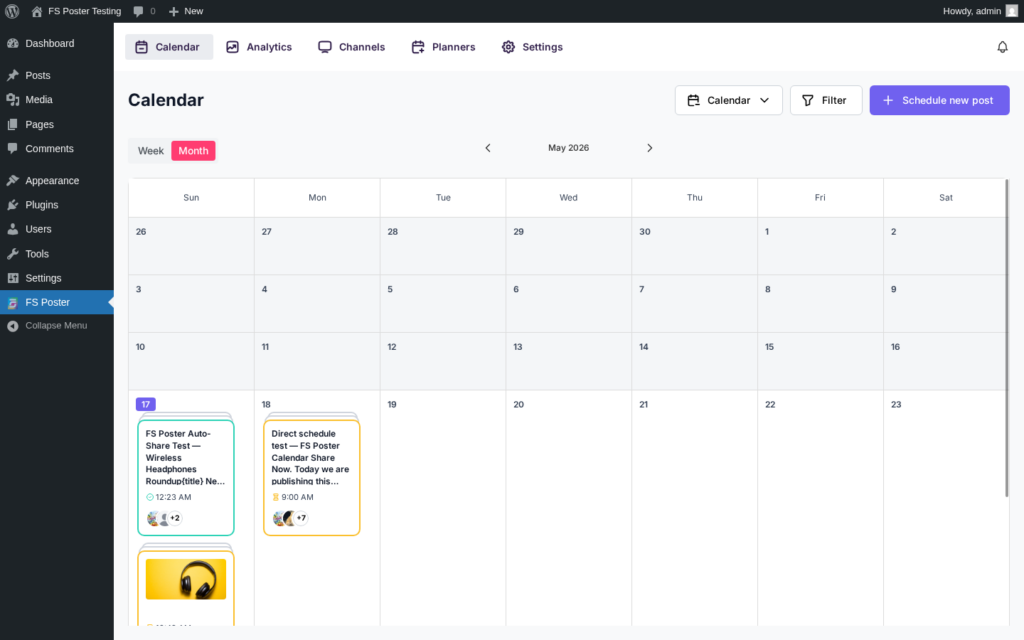
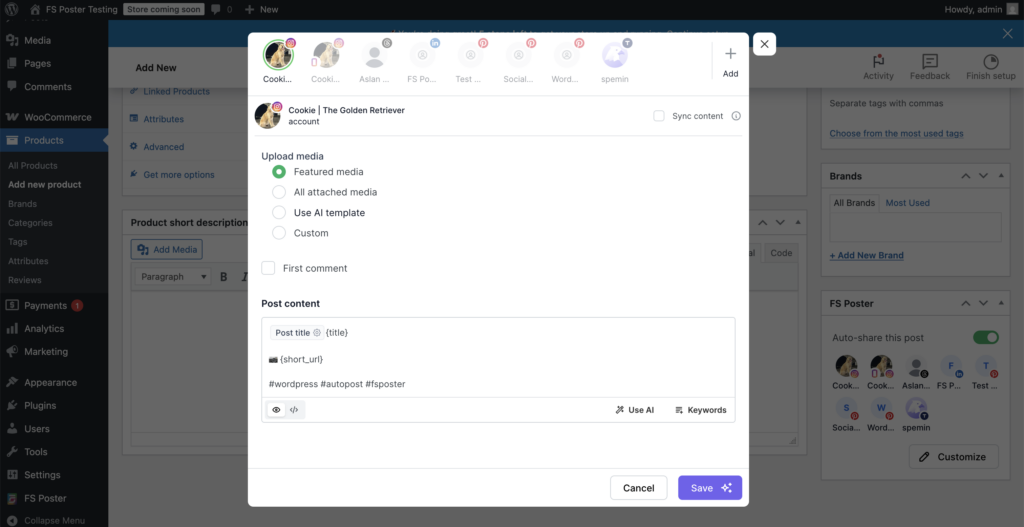
When you publish a WordPress post, FS Poster can automatically share it to connected social accounts. You can also create direct social posts from the calendar, bulk-schedule older posts, and run evergreen resharing through the Planner.
Supported networks include Facebook, Instagram, LinkedIn, X/Twitter, Threads, Pinterest, TikTok, YouTube Shorts, YouTube Community, Bluesky, Mastodon, Reddit, Discord, Telegram, VK, Truth Social, OK.ru, Xing, Plurk, Flickr, and more.
FS Poster is especially strong for WooCommerce stores because product pages can be shared automatically when they are published. It also supports custom post types, category filters, custom captions, variables, AI text generation with your own OpenAI key, watermarking, click tracking, and per-network settings.
Where FS Poster fits
- You want WordPress to publish content to social media automatically.
- You manage several social networks from one site.
- You need WooCommerce product sharing.
- You want a calendar, planner, and bulk scheduling inside WordPress.
- You need broad network coverage, not only Facebook, Instagram, and LinkedIn.
- You prefer a plugin-based workflow instead of paying for a separate SaaS scheduling tool.
Where it may not fit
- You only need simple visitor-facing share buttons.
- You only want to display Instagram or YouTube feeds on your website.
- You need a full social inbox or approval workflow for a large marketing team.
Pricing
FS Poster starts at $58/year for a single site. Higher plans cover more sites. Lifetime pricing is also available for teams that want a long-term license.
Verdict
FS Poster is the strongest option if your main goal is WordPress-to-social publishing. It covers auto-posting, scheduling, WooCommerce, evergreen resharing, direct social posts, and 26 networks in one WordPress dashboard.
2. Revive Old Posts: Best for Evergreen Content Recycling
Best for: Bloggers and publishers that want to reshare old posts automatically.
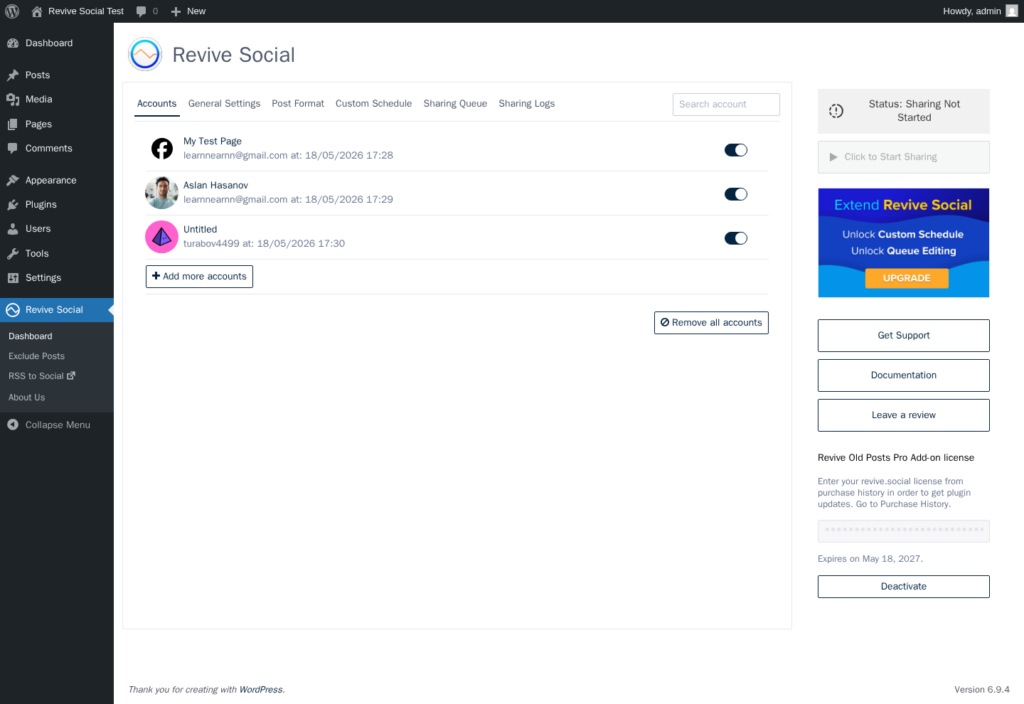
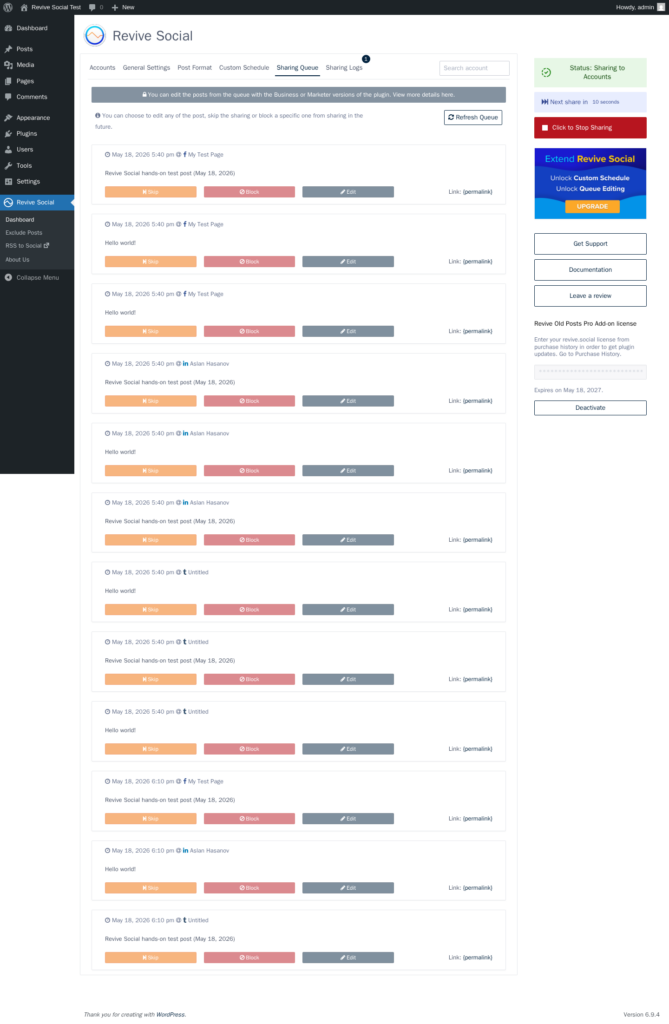
Revive Old Posts focuses on one job: taking your existing WordPress archive and sharing it again on social media. If you have evergreen posts that still bring value, this can help you bring them back into circulation without manually building a social calendar.
You can choose which post types and categories to include, set sharing intervals, and configure message formats. The free version covers basic sharing. Paid plans unlock more networks and scheduling controls.
Where Revive Old Posts fits
- You have a large archive of evergreen content.
- You want old posts reshared on autopilot.
- Your goal is archive recycling, not full social media management.
Where it may not fit
- You need a visual calendar for new social content.
- You need broad network coverage like TikTok, YouTube, Reddit, Discord, or Threads.
- You need WooCommerce product auto-posting.
Pricing
Paid plans start at $99/year.
Verdict
Revive Old Posts is useful when your main goal is archive resharing. It is not as broad as FS Poster, but it does a focused job well.
3. Jetpack Social: Best Simple Publish-and-Share Option
Best for: Solo bloggers and small sites that want a simple Gutenberg-native social sharing workflow.
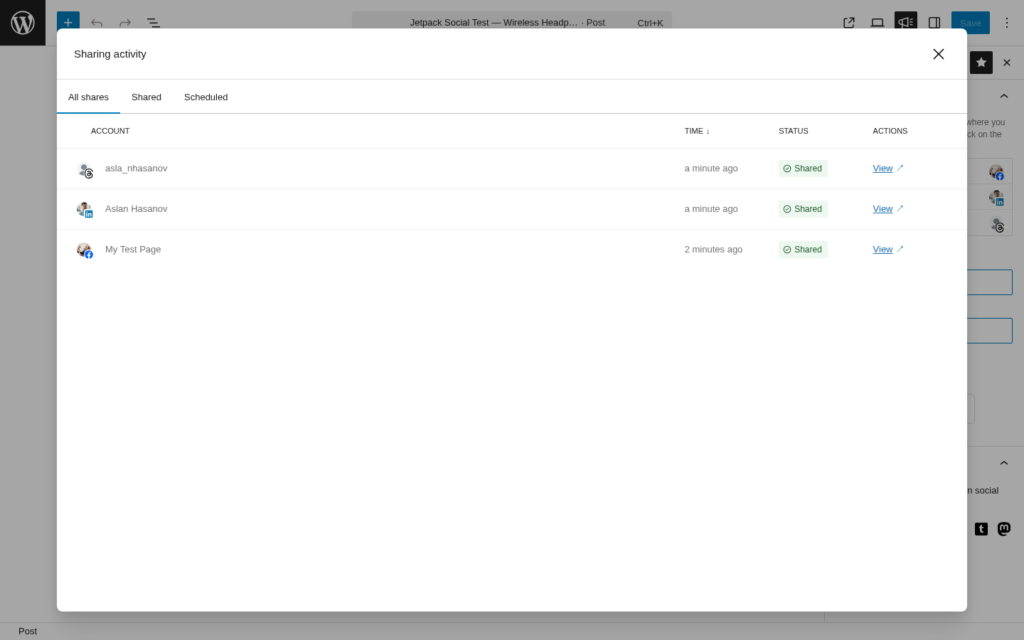
Jetpack Social adds social sharing controls directly inside the WordPress editor. You connect your accounts, choose where to share, and publish the post. The workflow is simple and familiar if you already use Jetpack.
It supports several mainstream networks, including Facebook Pages, Instagram Business, Threads, LinkedIn, Bluesky, Nextdoor, Tumblr, and Mastodon. X/Twitter is not supported.
Where Jetpack Social fits
- You want the easiest setup.
- You already use Jetpack.
- You publish to a small number of mainstream networks.
- You do not need advanced filtering, bulk scheduling, or WooCommerce automation.
Where it may not fit
- You need Pinterest, TikTok, YouTube, Reddit, Discord, Telegram, or X/Twitter.
- You manage many WordPress sites.
- You need evergreen resharing or detailed queue control.
Pricing
Jetpack Social has a free tier. Paid plans are usually around $59/year for the first year, with higher renewal pricing.
Verdict
Jetpack Social is good for small sites that want convenience. For advanced scheduling, WooCommerce, or wider network coverage, FS Poster is stronger.
4. AddToAny: Best Free Share Button Plugin
Best for: Any WordPress site that wants lightweight, reliable share buttons.
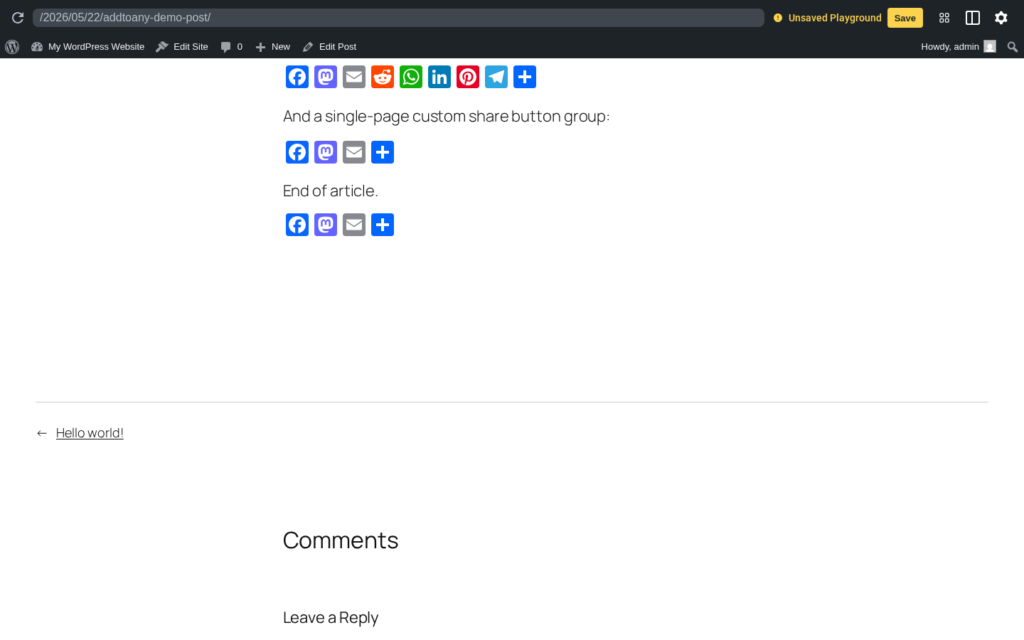
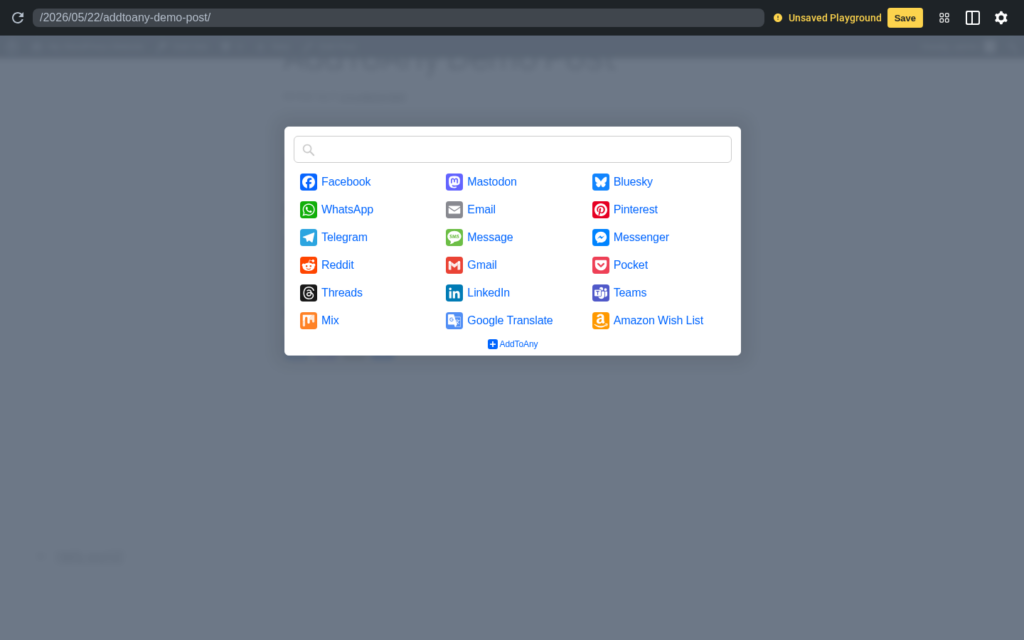
AddToAny is one of the most established WordPress share button plugins. It adds inline share buttons, floating bars, and a universal share menu for many services.
This plugin does not publish content from WordPress to social networks. Instead, it lets visitors share your published content with their own followers.
Where AddToAny fits
- You want simple share buttons.
- You want a free plugin with a long maintenance history.
- You do not want a heavy front-end setup.
- You want broad share service coverage.
Where it may not fit
- You want auto-posting from WordPress.
- You want an advanced visual button designer.
- You need built-in analytics inside the plugin.
Pricing
AddToAny is free.
Verdict
AddToAny is the safest free choice for visitor-facing share buttons. It is not a social scheduler, but it is excellent for simple sharing.
5. Sassy Social Share: Best for More Button Customization
Best for: Sites that want more free customization for share buttons.
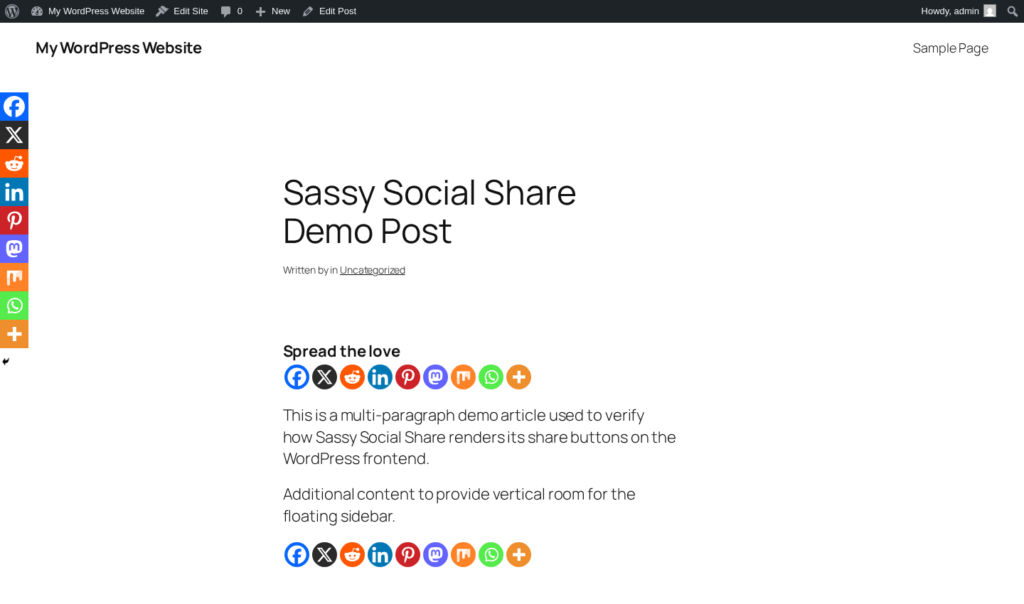
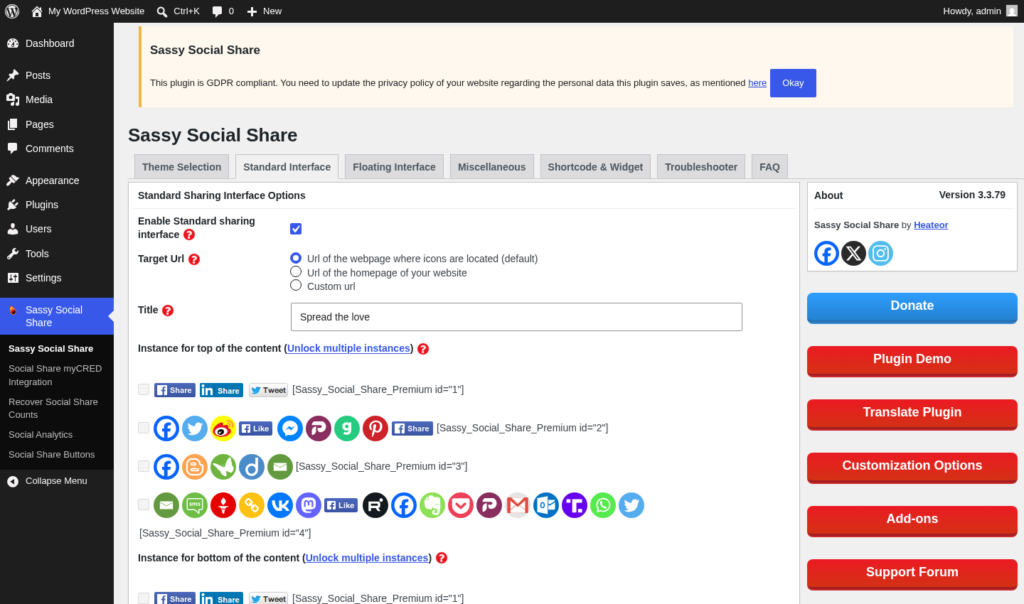
Sassy Social Share is another popular free sharing plugin. It supports many networks and gives you more button styling options than some simpler alternatives. You can adjust button shapes, colors, placement, and layouts.
It also added AI-platform share icons such as ChatGPT, Claude, Perplexity, and similar tools, which may be useful for AI-focused sites.
Where Sassy Social Share fits
- You want more styling control for share buttons.
- You want AI-platform share icons.
- You prefer a free plugin.
Where it may not fit
- You want auto-posting or scheduling.
- You prefer a very clean admin panel.
- You need a paid plan with reliable current checkout and support.
Pricing
The free WordPress.org version is available. Paid options may vary, so verify directly before relying on them.
Verdict
Sassy Social Share is a strong free choice when share button styling matters. For a simpler setup, AddToAny is easier.
6. Smash Balloon: Best for Social Feed Display
Best for: WordPress sites that want polished Instagram, Facebook, YouTube, or TikTok feeds on their website.
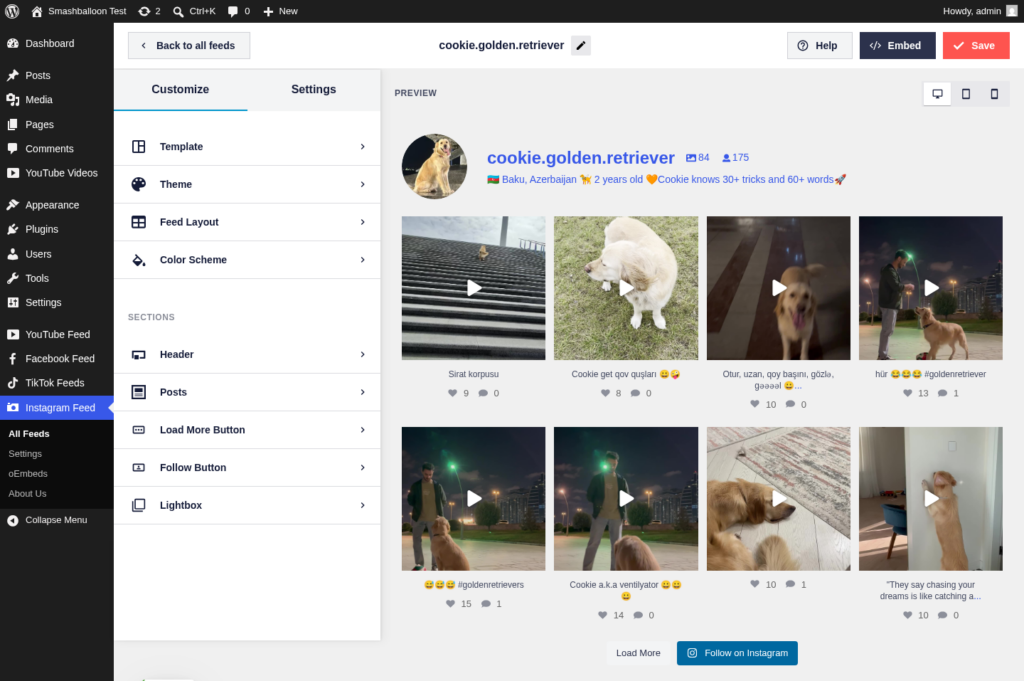
Smash Balloon is not an auto-posting plugin. It is a display plugin. It pulls social media content into WordPress and shows it as a feed, grid, or social wall.
It has dedicated products for Instagram, Facebook, YouTube, TikTok, reviews, and social walls. It is widely used and backed by Awesome Motive.
Where Smash Balloon fits
- You want to show social content on your site.
- You need polished Instagram, YouTube, Facebook, or TikTok feeds.
- You want a visual feed customizer.
- You manage clients that need social proof on landing pages.
Where it may not fit
- You want to publish WordPress posts to social media.
- You only need basic share buttons.
- You need a low-cost solution for several networks at once.
Pricing
Single-network plans start around $49/year for one site. The all-access bundle is more practical if you need several networks.
Verdict
Smash Balloon is one of the best choices for social feed display. Use it when you want to bring social content into WordPress, not when you want WordPress to publish outbound.
7. WP Social Ninja: Best All-in-One Social Proof Stack
Best for: Local businesses and service websites that need feeds, reviews, and chat widgets from one plugin.
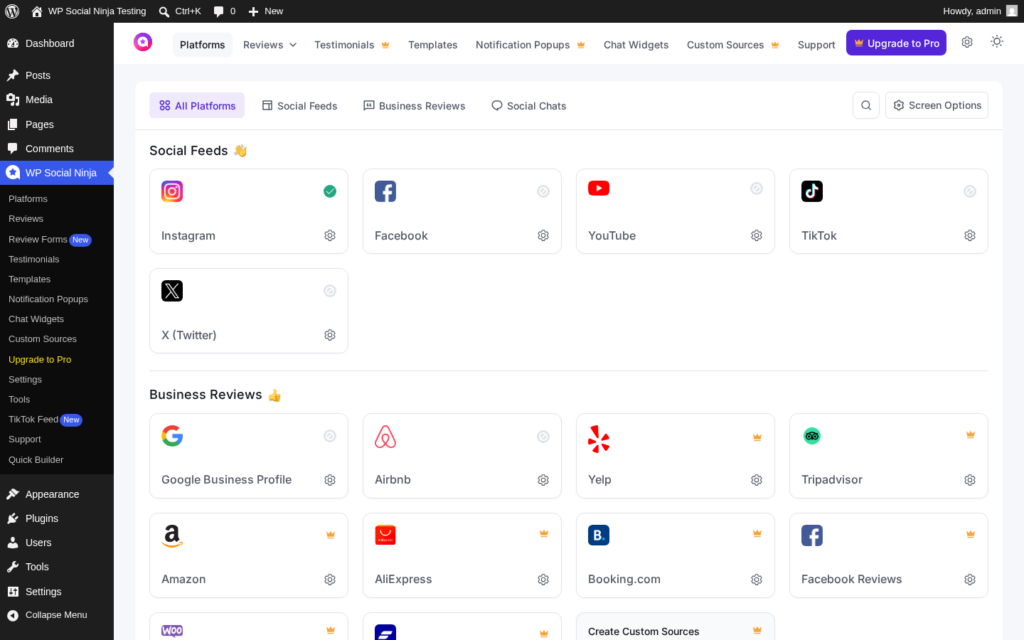
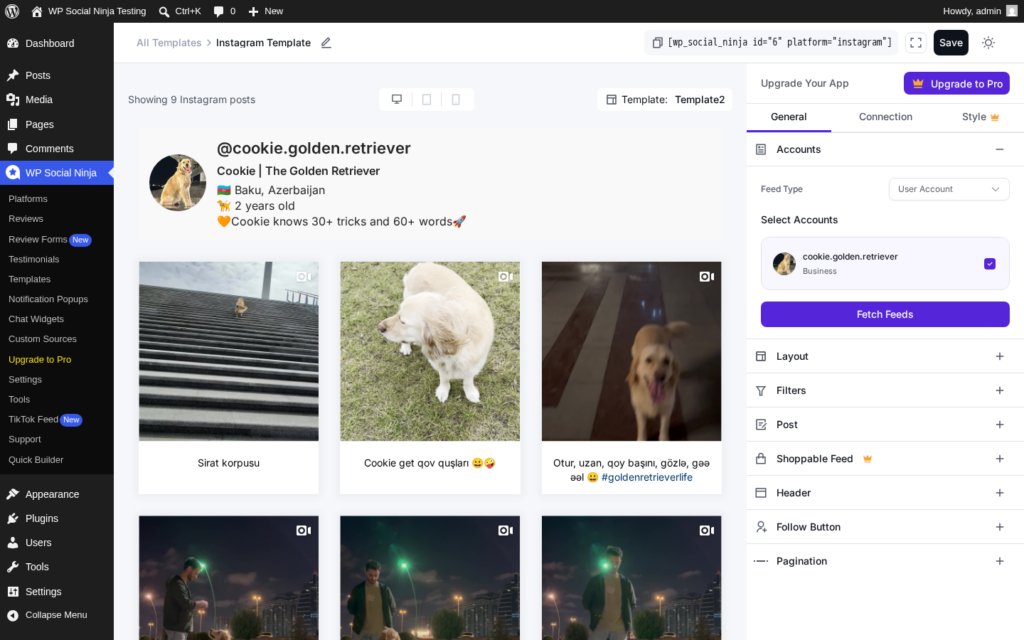
WP Social Ninja combines social feeds, review aggregation, testimonials, notification popups, and chat widgets. It is broader than a simple feed plugin.
It can connect to social platforms, pull reviews from business platforms, and display chat buttons such as WhatsApp, Messenger, Telegram, Instagram DM, and more.
Where WP Social Ninja fits
- You want social feeds and reviews in one plugin.
- You run a local business website.
- You want chat widgets alongside social proof.
- You already use WPManageNinja products.
Where it may not fit
- You only need deep Instagram feed customization.
- You only need a simple share button plugin.
- You want WordPress to auto-post to social media.
Pricing
Paid plans often start around $44/year promotional pricing, with higher regular pricing. Check the current price before buying.
Verdict
WP Social Ninja is useful when you want one plugin for social feeds, reviews, testimonials, and chat widgets. It is less specialized than Smash Balloon, but broader.
8. Blog2Social: Best Calendar-Based Option for Editorial Teams
Best for: Editorial teams that want a calendar-first social publishing workflow and a free manual starting point.
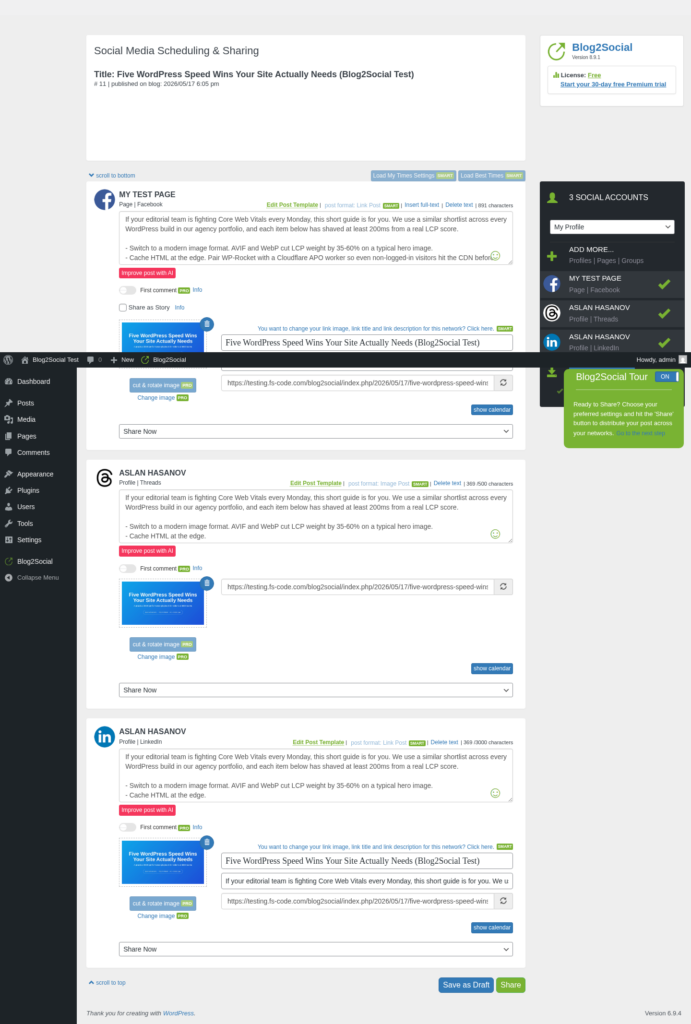
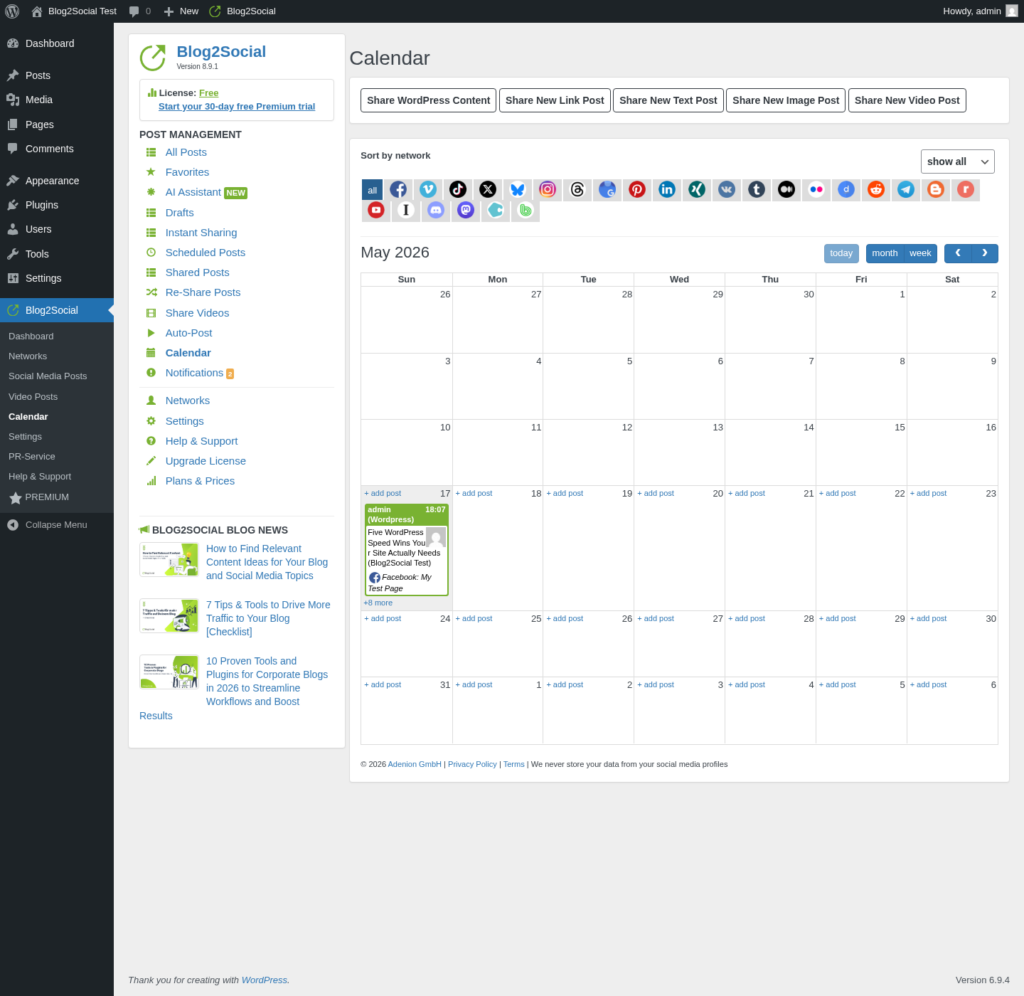
Blog2Social is a long-running WordPress social media publishing plugin by Adenion GmbH. It gives teams a social publishing area inside WordPress, with per-network message customization and a calendar workflow.
The free version is useful for manual sharing. Automatic sharing on publish requires a paid plan. X/Twitter is also handled as a separate paid add-on, so the real cost can be higher if X is important for your workflow.
Where Blog2Social fits
- You want to start with manual sharing for free.
- Your team likes a calendar-based workflow.
- You want per-network message customization.
- You prefer a European-based vendor.
Where it may not fit
- You want auto-share on publish without paying.
- You want broad network coverage without separate add-ons.
- You want WooCommerce-specific product sharing.
- You want a lifetime license.
Pricing
Paid plans start at around €72/year. X/Twitter can require a separate monthly add-on depending on your usage.
Verdict
Blog2Social is a workable option for teams that want a calendar-first social publishing interface and a free manual entry point. It is useful, but it becomes less attractive if you need automation, X/Twitter, WooCommerce, and many networks at scale.
Which WordPress Social Media Plugins Should You Choose?
If your goal is publishing WordPress content to social media, start with FS Poster. It gives you the widest WordPress-native publishing workflow in this list, including 26 networks, WooCommerce support, calendar scheduling, bulk scheduling, and evergreen resharing.
If your goal is resharing old content, use Revive Old Posts.
If your goal is basic publish-and-share from Gutenberg, Jetpack Social is simple.
If your goal is reader-facing share buttons, AddToAny is the safest free option, while Sassy Social Share gives more customization.
If your goal is displaying social feeds on your site, Smash Balloon is the specialist choice. WP Social Ninja is better if you also want reviews and chat widgets.
If your team specifically wants a calendar-first editorial publishing workflow, Blog2Social is worth reviewing, but compare the paid automation and X/Twitter costs carefully before choosing it.
The main takeaway is simple: do not pick a social media plugin only by popularity. Pick it by workflow. A site that needs auto-posting, share buttons, and social feeds may even use more than one plugin because these jobs are different.