Running a business means wearing a dozen hats, and “salesperson” is usually the one that eats up the most time. If you’re tired of losing track of leads, forgetting follow-ups, or copy-pasting the same email for the fifth time this week, the right software can hand a lot of that busywork back to you.
This guide walks through six of the best sales tools 2026 has to offer, covering CRMs, prospecting, chat automation, and data enrichment, along with what each one is best suited for and how to actually get started with them.
Table of Contents
Why Sales Tools Matter for Small Businesses
Every sale is really a series of small steps: finding the right person to talk to, reaching out, following up (usually more than once), and closing the deal. Doing all of that manually in a spreadsheet or your inbox works for a while, but it breaks down fast once you have more than a handful of leads at once.
Modern sales automation tools take over the repetitive parts logging conversations, enriching contact data, sending reminders so you can spend your energy on the conversations that actually move deals forward.

How We Chose These Tools
This list covers six well-established sales tools that each serve a different part of the sales process, from managing relationships to finding new leads. We looked at what each one actually does well, who it fits best, and how steep the learning curve is for a small team getting started.
1. HubSpot
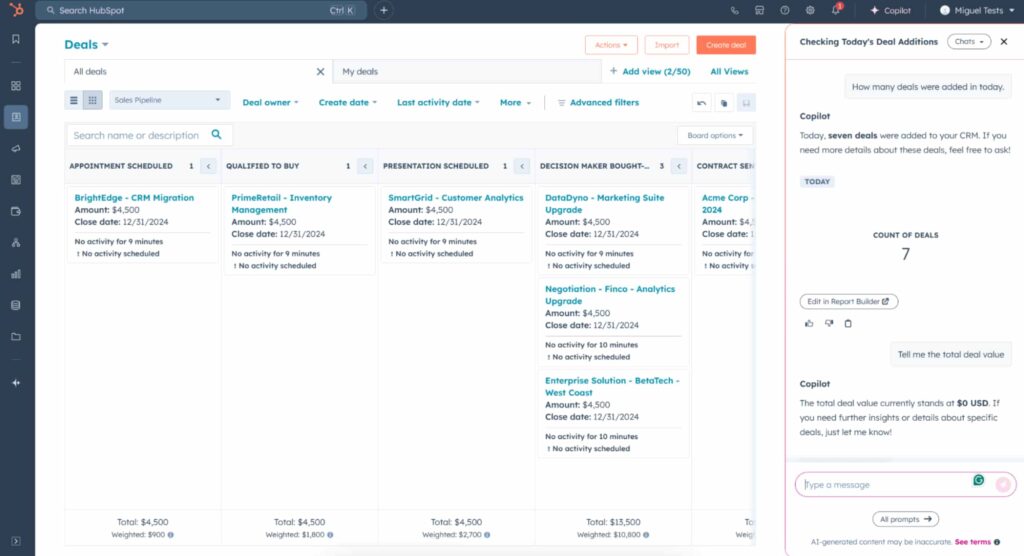
HubSpot’s free CRM is often the starting point for small businesses because it covers contact management, deal tracking, and email logging without a price tag attached. As your needs grow, its paid Sales Hub tiers add automation, forecasting, and deeper reporting.
What it’s good for: Centralizing every lead and customer conversation in one place, especially if you’re moving off spreadsheets for the first time.
Getting started:
- Create a free HubSpot account and connect your business email inbox.
- Import existing contacts via CSV or let HubSpot sync them automatically from your inbox.
- Set up a simple deal pipeline with stages that match your sales process (e.g., New Lead, Contacted, Proposal Sent, Won).
- Turn on email tracking so you can see when a prospect opens your message.
2. Salesforce
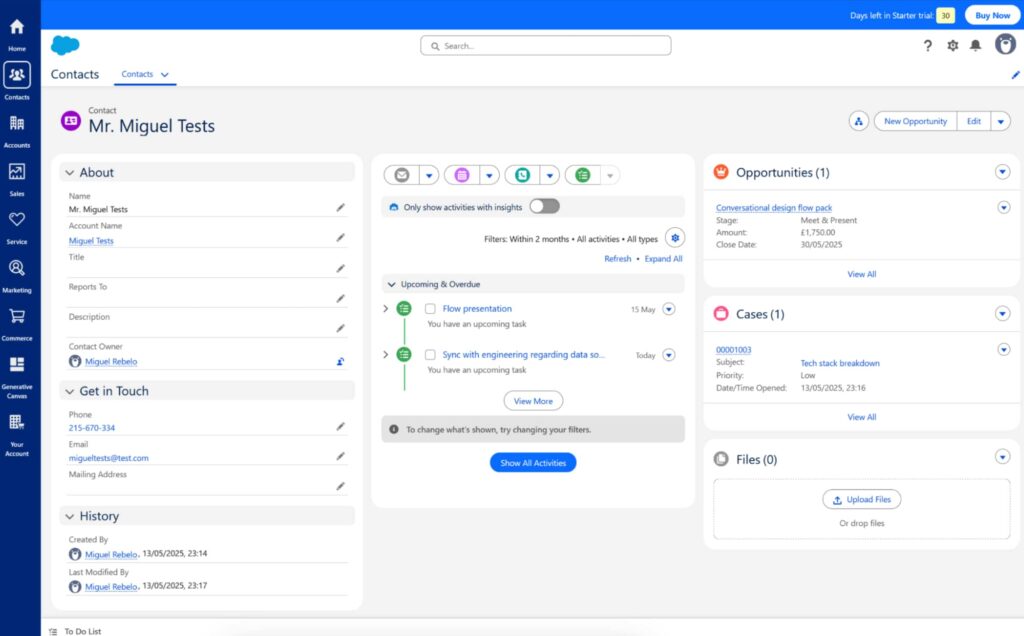
Salesforce is one of the most established names in CRM software, built to handle everything from pipeline tracking to internal team communication in one customizable platform. It’s more configurable than most small business tools, which means more power, but also a longer setup process.
What it’s good for: Businesses that expect to scale significantly and want a CRM that can be customized to match complex sales processes as they grow.
Getting started:
- Set up your Salesforce org and define your user roles and permissions.
- Customize your sales pipeline stages under Setup > Sales.
- Import your contact and account data, or connect it via an integration.
- Build a simple dashboard to track deals by stage and owner.
3. Zoho CRM
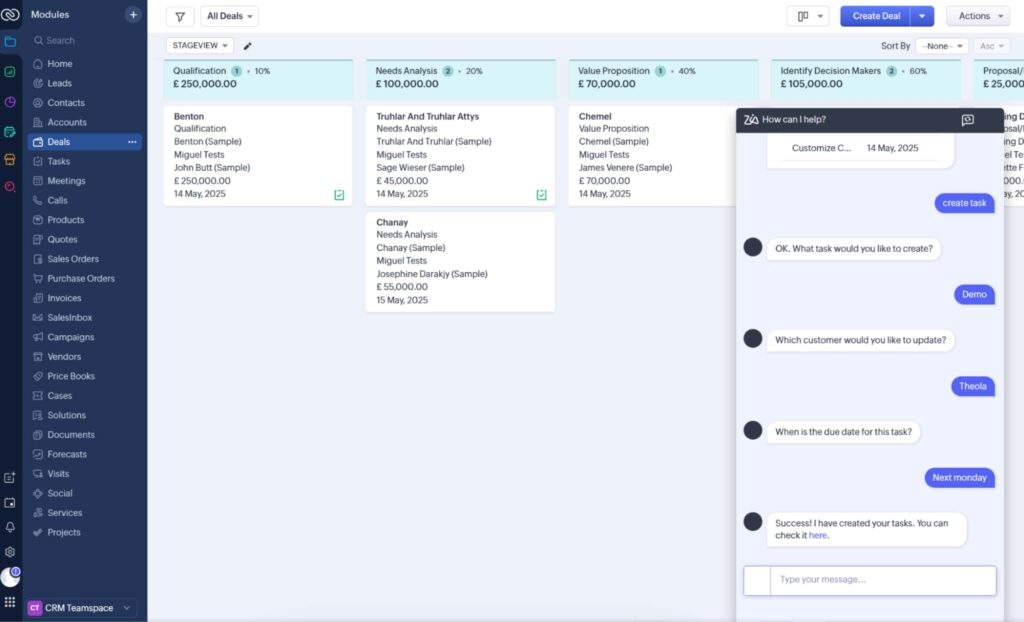
Zoho CRM is a solid middle ground between a lightweight tool and an enterprise platform. It bundles pipeline tracking, workflow automation, and built-in AI insights through its assistant, Zia, which can help flag which deals are most likely to close.
What it’s good for: Businesses that want a CRM with room to add more advanced automation and reporting later, without paying enterprise-level prices to get started.
Getting started:
- Set up your organization profile and import your contact list.
- Define your sales stages under Settings > Pipelines.
- Create a basic workflow rule, such as auto-assigning new leads to a team member.
- Review the Zia insights panel weekly to spot deals that need attention.
4. Apollo
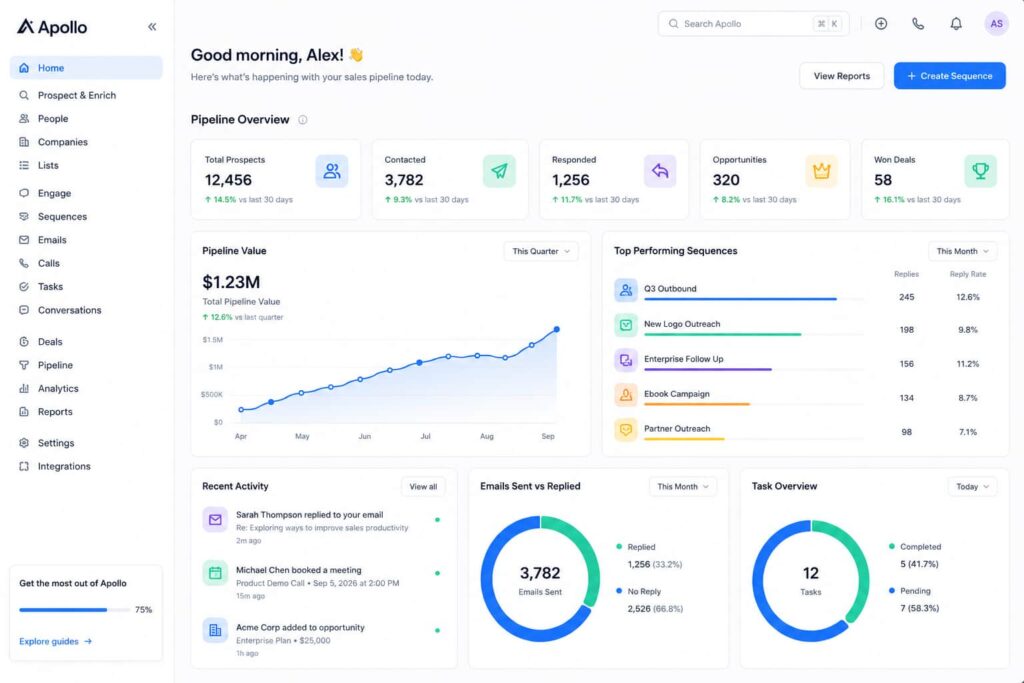
Apollo combines prospecting, contact data enrichment, and outreach sequences in a single platform, which makes it a strong pick if finding new leads is your biggest bottleneck.
What it’s good for: Small teams that need to find and reach new prospects without paying for three separate tools to do it.
Getting started:
- Create an account and define your ideal customer profile (industry, company size, job title).
- Use the search filters to build a targeted list of prospects.
- Set up a short outreach sequence two or three emails spaced a few days apart works well to start.
- Track replies and move responders into your CRM’s pipeline.
5. Manychat
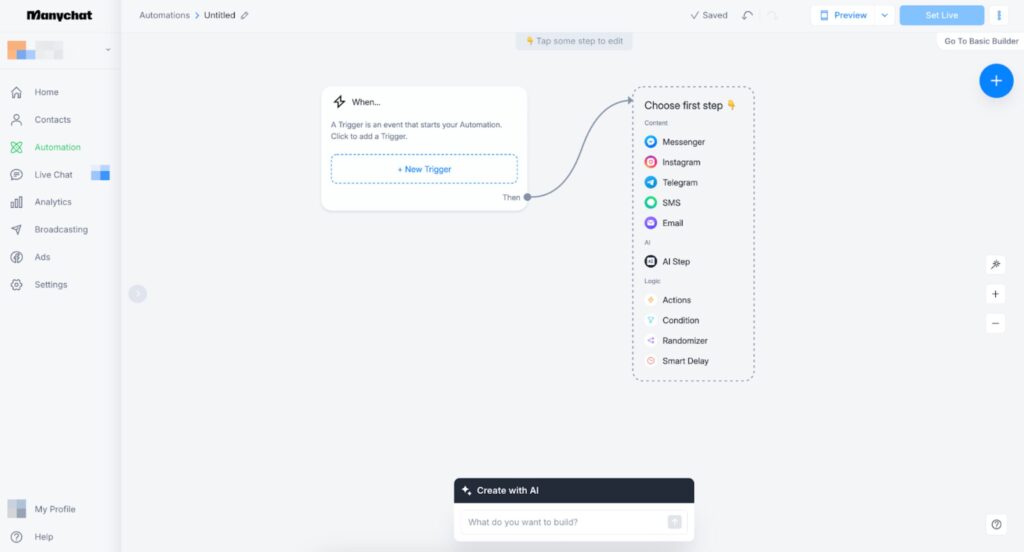
Manychat is a chat automation platform built for turning Instagram, Facebook Messenger, and WhatsApp conversations into leads and sales. It’s a particularly good fit if your store or business relies on social media for discovery, since it can automatically reply to comments, answer FAQs, and route serious buyers to a human.
What it’s good for: E-commerce and content-driven businesses that get a meaningful share of inquiries through social DMs and comments, and want to respond instantly without staffing it manually.
Getting started:
- Connect your Instagram, Messenger, or WhatsApp account to Manychat.
- Use the visual flow builder to create a simple automation, such as replying to comments on a specific post with a DM.
- Add a few qualifying questions to the flow so you can route serious leads to your sales inbox or CRM.
- Test the flow yourself before publishing it live.
6. Clay
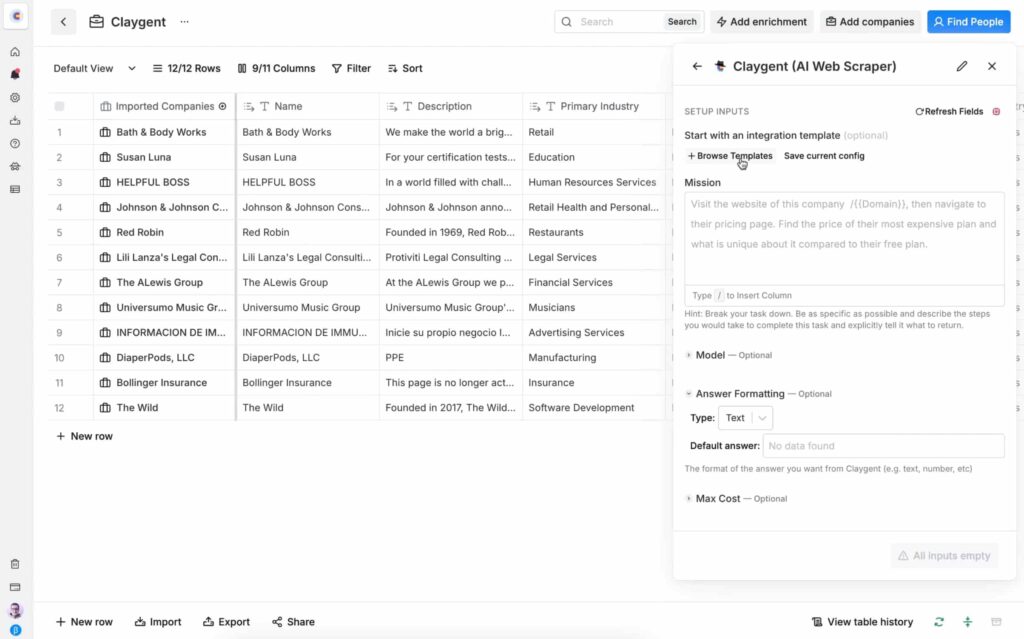
Clay is a data enrichment and sales automation platform that works like a supercharged spreadsheet. It pulls in contact and company data from dozens of sources, cleans it up, and can layer in AI-driven research before you ever reach out.
What it’s good for: Teams that already have a rough list of leads or accounts but need accurate, up-to-date contact details and context before starting outreach. It typically sits ahead of your CRM or outreach tool rather than replacing either.
Getting started:
- Upload a list of companies or contacts, or connect a data source.
- Choose which enrichment fields you need, such as verified emails or company size.
- Run the enrichment and review the results in the spreadsheet-style interface.
- Export the cleaned list into your CRM or outreach tool of choice.
FAQ
What is the best free sales tool for small businesses in 2026?
HubSpot remains one of the most complete free options, offering contact management, deal tracking, and email logging without a paid plan.
Do I need a separate CRM if I already sell through WooCommerce?
WooCommerce tracks orders and customers, but it isn’t built for managing leads that haven’t purchased yet. A CRM fills that gap by tracking conversations and follow-ups before a sale happens.
Is Salesforce worth it for a small business?
It can be, but its real strength is customization at scale. Smaller teams often get more immediate value from HubSpot or Zoho CRM and can consider Salesforce once their sales process becomes more complex.
What’s the difference between Apollo and Clay?
Apollo is built for finding prospects and running outreach sequences directly. Clay focuses on enriching and cleaning data you already have, often feeding that cleaned list into a tool like Apollo or your CRM.
Is Manychat only useful for social media marketing, or does it help with sales too?
Both. Beyond marketing broadcasts, Manychat can qualify leads through automated questions and hand off serious prospects to your sales team, which makes it a genuine sales tool for businesses active on Instagram or WhatsApp.
How to Choose the Right Sales Tool for Your Business
With several sales CRM tools and specialized platforms available, it helps to narrow your decision down to a few practical questions:
- How many leads are you managing right now? A free CRM tier is often enough under a few hundred contacts.
- Where does your process actually break down? If it’s finding leads, prioritize a prospecting or enrichment tool. If it’s your social channels going unanswered, look at chat automation.
- Will your team actually use it? The most feature-rich tool is useless if it’s too complicated for daily use Salesforce and Clay both reward the time you invest in setup, so they’re best once you know what you need.
- Does it integrate with what you already run? If your store runs on WooCommerce, check that any CRM or automation tool you choose can connect to your existing WordPress setup through Zapier, Make, or a native plugin.
If you’re managing an online store, it’s also worth keeping your backend tidy so your sales data stays accurate our guide on how to bulk delete WooCommerce orders and how to delete WooCommerce customers without orders can help clear out test data or abandoned records before you start tracking real leads. And if outreach and visibility are part of your sales strategy, our roundup of best social media plugins for WordPress is a useful next read.
Conclusion
You don’t need every tool on this list to run a solid sales process you need the right two or three working together. Start with a CRM to keep your leads organized, add a prospecting or chat automation tool depending on where your leads actually come from, and layer in data enrichment once your outreach volume grows. Try one tool at a time, get comfortable with it, and only add the next once you’ve felt the gap it’s meant to fill.